A draft order is a provisional sales order a merchant creates on behalf of a customer, and it stays incomplete until payment or another completion event occurs.
The phone is on speaker. A regular buyer wants forty cases at last quarter's price, and your salesperson is already typing. The screen looks like a normal sale. The warehouse has not been told to pick anything, and finance has not booked a dollar. That gap is where teams get tangled. Someone treats the row as sold stock. Someone else sends a second invoice. Staff ask what is a draft order because the label has sat in the system for weeks with no clear rule attached.
Treat the draft as a controlled staging record. It holds the price, the terms, and the product list while the deal is still being shaped, so those decisions don't move money or stock too early. The one test is simple. If payment has not been captured and the deal is still open, it is a draft.
Table of Contents
- What a Draft Order Is and Why It Exists
- Draft Orders Compared With Completed Orders
- How a Draft Order Moves to Completion
- Common Situations Where Businesses Use Draft Orders
- Misconceptions About Draft Orders
- Decide Whether a Draft Order Workflow Fits Your Sales
What a Draft Order Is and Why It Exists
As the Shopify Admin API documentation for draft orders describes it, a draft order is a provisional sales order created by a merchant on behalf of a customer, rather than an order the shopper places through a self-service storefront. It records the essential commercial details, customer identity, products, quantities, prices, discounts, and terms, and it remains incomplete until payment or another completion event occurs.
That record exists because plenty of real sales never start at checkout. Telephone calls, email requests, counter conversations, and negotiated wholesale purchases all begin with a person, not a cart. The merchant adds line items, applies a price or discount that belongs to that buyer, attaches payment terms, and sends an invoice with a secure checkout path. The buyer can pay when ready. Staff can still correct a quantity or a shipping address before anything is final.

Think of a contractor's written estimate entered in the job book as a work order. The scope and the price are written down. Work and payment begin only after the client approves and pays a deposit. A draft works the same way. The commercial agreement can start in a conversation, then enter the same order system as an online purchase once money moves.
What the draft actually holds
The merchant or a salesperson creates it. The shopper does not.
- Who: the customer or account the sale is for.
- What: products and quantities.
- How much: prices and any discounts.
- On what basis: the terms, including when payment is due.
Practical rule: If the buyer has not paid and the deal is still being shaped, it is a draft. Once payment is captured, fully, partly, or as a manually recorded payment, it becomes a regular order that moves into fulfillment and reporting.
For wholesale work, that pause is the point. You keep a record of who requested the goods, what was quoted, which terms applied, and when the order became financially binding, without treating a proposal as a sale.
Draft Orders Compared With Completed Orders
| Criterion | Draft order | Completed order |
|---|---|---|
| Who starts it | Merchant or sales staff, for a customer | Customer at checkout, or merchant after conversion |
| Payment status | Not yet captured, or only partly captured | Captured in full, or recorded as paid |
| Inventory status | Not a firm commitment | Allocated for picking and shipping |
| Revenue treatment | Not recognised as a sale | Recognised as a sale under the business's accounting rules |
| Pricing and terms | Can be customised per buyer before sending | Fixed at the time of purchase |
| Can details change? | Yes, until converted | Only through amendments, refunds or returns |
A draft is an agreed or proposed transaction that is still being prepared, reviewed, invoiced, or approved. A completed order is one the business can fulfil and report on. That single difference drives the rest of the table.
A draft does not count as revenue because no payment has been captured, so it is not yet a sale. Staff should not treat it as a firm stock commitment either. Leave the units available for other buyers until conversion. The draft also stays editable. Change the price, the quantity, or the ship-to address while it is still a draft. A completed order changes only through amendments, refunds, or returns, and those edits belong in the wider order management system your team already uses for live sales.
Say a wholesale buyer asks for 40 cases at a negotiated price with net terms. The draft holds that price and those terms until the invoice is paid. The same record then becomes a standard order. Nothing has to be retyped, and the history stays on one line.
Check payment status first. It decides nearly every other difference between a draft and a completed order.
How a Draft Order Moves to Completion
| State | What it means | Counts as revenue? | Next action |
|---|---|---|---|
| Draft | Created and still being prepared or quoted | No | Review pricing, then send an invoice or checkout link |
| Invoiced | Sent to the buyer with payment requested | No | Wait for payment or approval |
| Partially paid | Part of the amount captured or recorded | Not in full | Collect the balance |
| Paid | Payment captured in full or recorded manually | Yes | Convert into a standard order |
| Fulfilled | Shipped or delivered to the buyer | Yes | Close the order and record fulfilment |
| Cancelled | Withdrawn before completion | No | Release any stock held for the draft |
| Expired | Not completed before its deadline | No | Recreate as a new draft if the buyer still wants it |
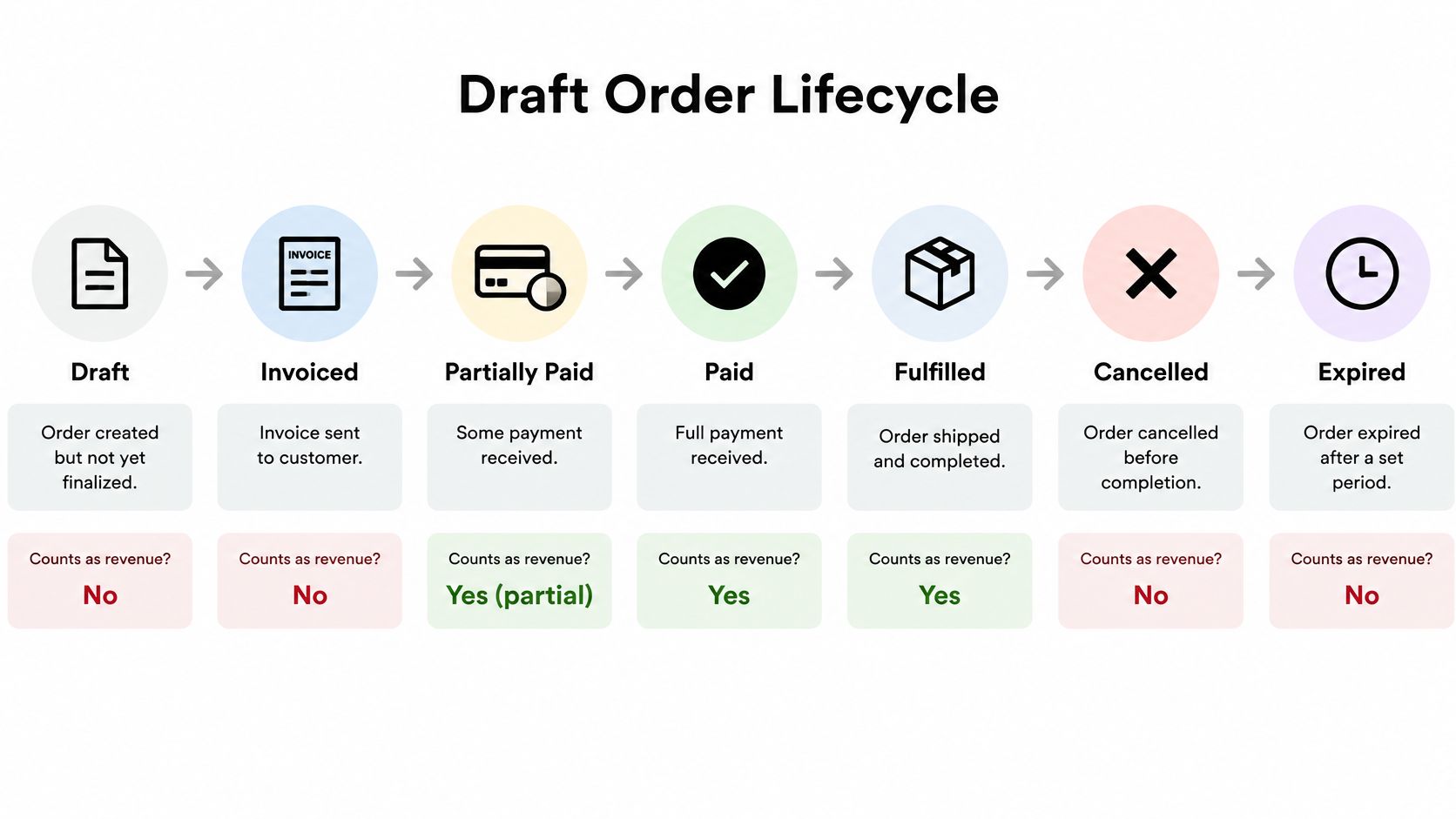
The defining move is conversion. As Shopify's guide to creating orders explains, an uncommitted draft becomes a confirmed order after payment or an explicit order-creation event. Completion can happen through a secure invoice or checkout link, direct card processing, a vaulted payment method, a manually recorded payment, or, where the terms allow it, deferred payment such as net terms or a deposit.
Once payment is captured or the order is created, the record is eligible for inventory allocation, picking, shipping, invoicing, and fulfillment. Before that point, don't treat it as revenue, a fulfillment instruction, or an irrevocable inventory commitment. Model draft, confirmed, partially paid, paid, fulfilled, cancelled, and expired states separately. Keep an audit trail of edits, and make conversion idempotent so a retry can't create a second order or a second charge. ERP practice draws the same line. A saved draft is not a submitted sales order, and submission is what starts delivery, billing, purchasing, or payment work.
Buyers who want a written offer before any invoice exists can start from a Clerkmans quote request form, then have that request rebuilt as a draft on your side.
The sequence that keeps stock and cash aligned
- Create the draft. Capture the buyer, the lines, and the terms so nothing lives only in an email.
- Review pricing and stock. Confirm the quote still matches current cost and available units before you promise them.
- Send the invoice. Give the buyer one secure path to pay, instead of a loose bank detail in a thread.
- Record payment. Capture the card, log a deposit, or mark funds received through another channel.
- Convert and fulfil. Only then hand the order to picking and shipping, which is the start of your order fulfillment process.
Common Situations Where Businesses Use Draft Orders
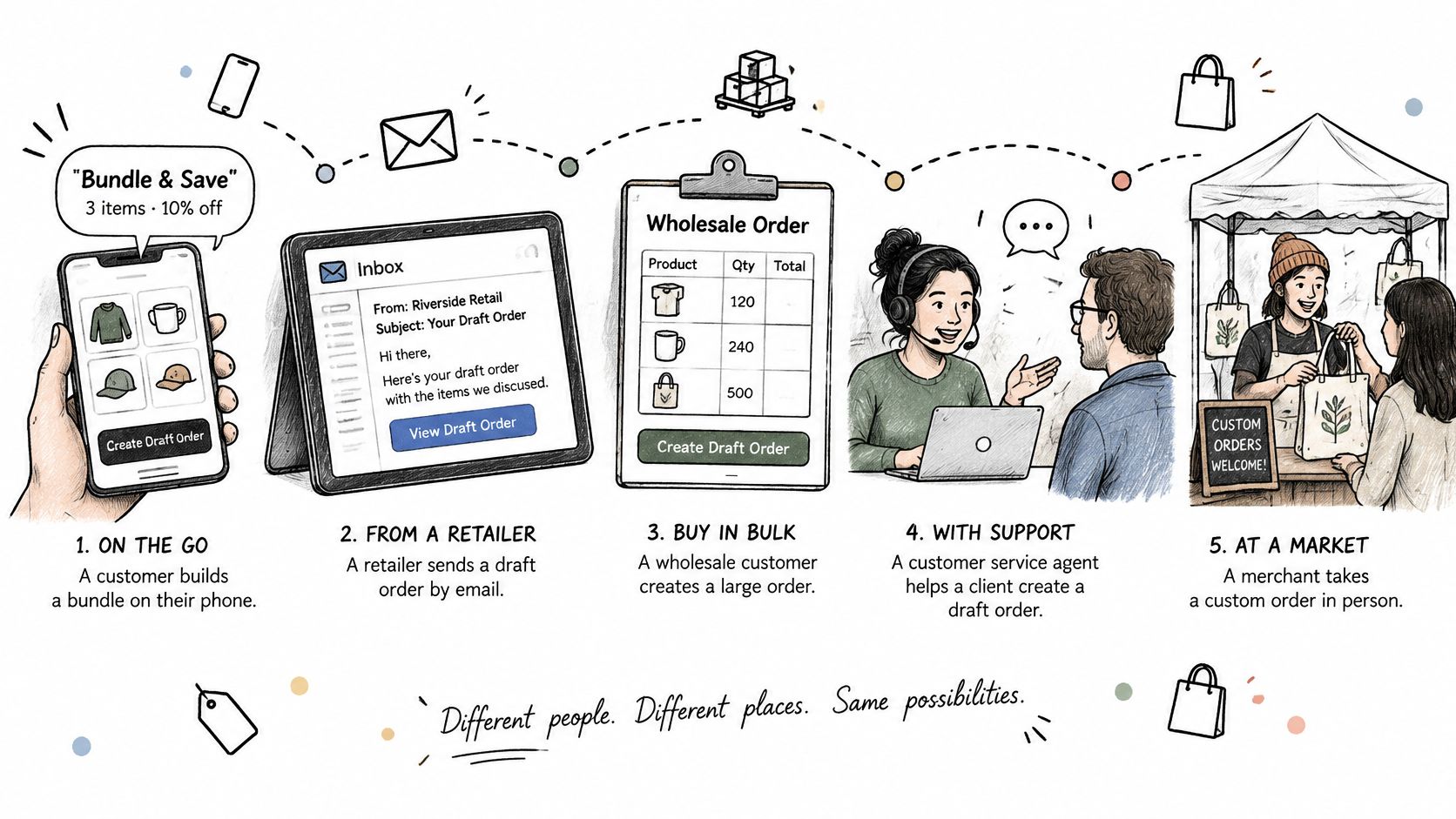
A customer calls and wants a bundle plus a discount the website can't show. You build the draft with those products, that price, and those quantities. It stops a second person from retyping the call into checkout and picking the public price by mistake. Nothing ships until the invoice is paid.
An emailed purchase request from a retailer is the next common case. The retailer wants negotiated pricing and 30-day terms. As Shopify's B2B terminology notes, phone and email orders are direct examples, and assigning a business customer and company location lets the draft reflect that account's pricing, payment terms, and checkout options. The draft preserves the requester and the terms. It prevents a list-price sale and a premature pick.
Five jobs a draft is built for
- Phone bundle: products, the agreed discount, and quantities stay on one record so the website price can't overwrite the deal.
- Emailed retailer request: negotiated price and payment terms travel with the account instead of a spreadsheet.
- Trade show or counter sale: the buyer takes goods now, or later, and pays by invoice. The draft is the order, not a napkin total.
- Replacement after a stock-out: recreate the same products and prices for the customer who already agreed, without rebuilding the quote from memory.
- New wholesale account: a sales rep quotes before credit is approved. The draft holds the request and does not release goods early.
Seasonal wholesale follows the same pattern. A shop buying wholesale Christmas wreaths for a holiday floor often needs a quoted case price and a ship date that standard checkout can't express. A draft keeps that quote intact until the buyer accepts it.
Use a draft when the agreement is still negotiated or payment is pending. Use standard checkout when a shopper buys at list price and pays immediately. Teams that sell both ways need B2B ecommerce that can hold account pricing without forcing every buyer through the same cart.
Misconceptions About Draft Orders
A draft is an invoice. It isn't. An invoice is the payment request you can attach to a draft and send to the buyer. The draft is the internal order record that invoice comes from. You can have a draft with no invoice yet, and you should not book the invoice as a completed sale.
A draft is a quote. A quote is an offer the buyer can accept or walk away from. A draft is the merchant's sales order record, and it can later be sent as an invoice. Plenty of businesses start with a quote, then copy the accepted lines into a draft. They are not the same object, even when the numbers match.
A draft is a purchase order. A purchase order is issued by the buyer to request goods. A draft is created by the seller. They sit on opposite sides of the transaction. Matching a buyer's PO number onto the draft is good practice. Calling the draft a PO confuses who owes whom.
A draft reserves stock. It does not, and you should not rely on it as a firm commitment unless you have configured a separate hold. Another order can sell those units while your draft sits open.
Drafts also expire and go stale when prices or stock change. Recheck pricing before you send.
- Confirm stock before sending: available units can move while a draft sits open.
- Confirm the buyer's terms: net days, deposits, and tax should match the account.
- Set an expiry date: an open-ended quote becomes a bad price.
- Review open drafts weekly: old quotes clutter reporting and look like pipeline they aren't.
Decide Whether a Draft Order Workflow Fits Your Sales
Score your own sales against four conditions.
- You take orders by phone, email, or in person.
- You negotiate prices per customer.
- You invoice wholesale accounts on payment terms.
- You need a record of who requested what.
If three or more apply, a draft order workflow likely fits. If shoppers only buy at list price and pay at once, checkout is enough and a draft adds steps you don't need.
Rollout is a set of decisions, not a software switch.
- List the sales that happen outside checkout. Phone, email, counter, and trade show are the usual four.
- Decide which staff can create drafts and which can approve discounts. Split those permissions so a generous price needs a second person.
- Choose how payment will be recorded for each channel. Invoice link, card, deposit, or a payment you mark as received elsewhere.
- Test one conversion from draft to paid order with a real sample before you roll the process out to the whole team.
Keep the draft and the final sale on one order record so the history isn't split across systems. We keep one stock ledger across locations and one order record that every other surface reads from, which is what stops a phone draft and a web order from arguing about the same units.
This week, pick one recent offline order and trace it through those four steps. Note where a draft would have saved a retype or caught a wrong price.
PlatformDTC gives DTC and wholesale teams one place to build a draft, send it as an invoice, and turn it into a real order after payment, with online, counter, and account sales reading the same stock and the same order record. If phone quotes and net-terms invoices still live in side spreadsheets, that is the workflow to put on a single system. Visit PlatformDTC to see how draft orders, invoicing, and fulfillment sit together.