A distributor emails a spreadsheet at nine in the morning with 42 line items. Someone re-keys it into the ERP, a purchasing manager waits two days for a quote, and Thursday disappears into phone calls confirming which nine SKUs are in stock. The same purchasing manager bought a sofa, two phone cases and a week of groceries last night in about ninety seconds.
That gap is what the advantages of B2B e-commerce close. Every workaround a business buyer has to invent costs you orders, and most of that loss never appears in a monthly report.
The eight advantages below are ordered by operational impact. Each comes with the configuration that delivers it, the trade-off that surfaces a few months after launch, and the sequence I'd use to ship it. No team implements all eight at once, and none needs to.
Table of Contents
- 1. Higher Average Order Value Through Bulk and Minimum-Order Purchasing
- 2. Customer-Specific Pricing, Catalogs, and Contract Terms
- 3. Self-Service Reordering and Streamlined Buyer Workflows
- 4. Flexible Payment Terms and Automated Invoicing
- 5. Lower Cost to Serve Through Automation
- 6. Expanded Reach Across Regions and Around the Clock Availability
- 7. Unified Omnichannel Sales Across Online, POS, and B2B
- 8. Rich Buyer Analytics and Data-Driven Account Management
- The 8 Advantages of B2B E-Commerce at a Glance
- Choosing the Advantages That Move Your Numbers First
1. Higher Average Order Value Through Bulk and Minimum-Order Purchasing
A buyer restocking a shelf needs cases, not a one-unit-at-a-time shopping experience. Set up the product page, cart, and order rules around the quantities customers purchase.
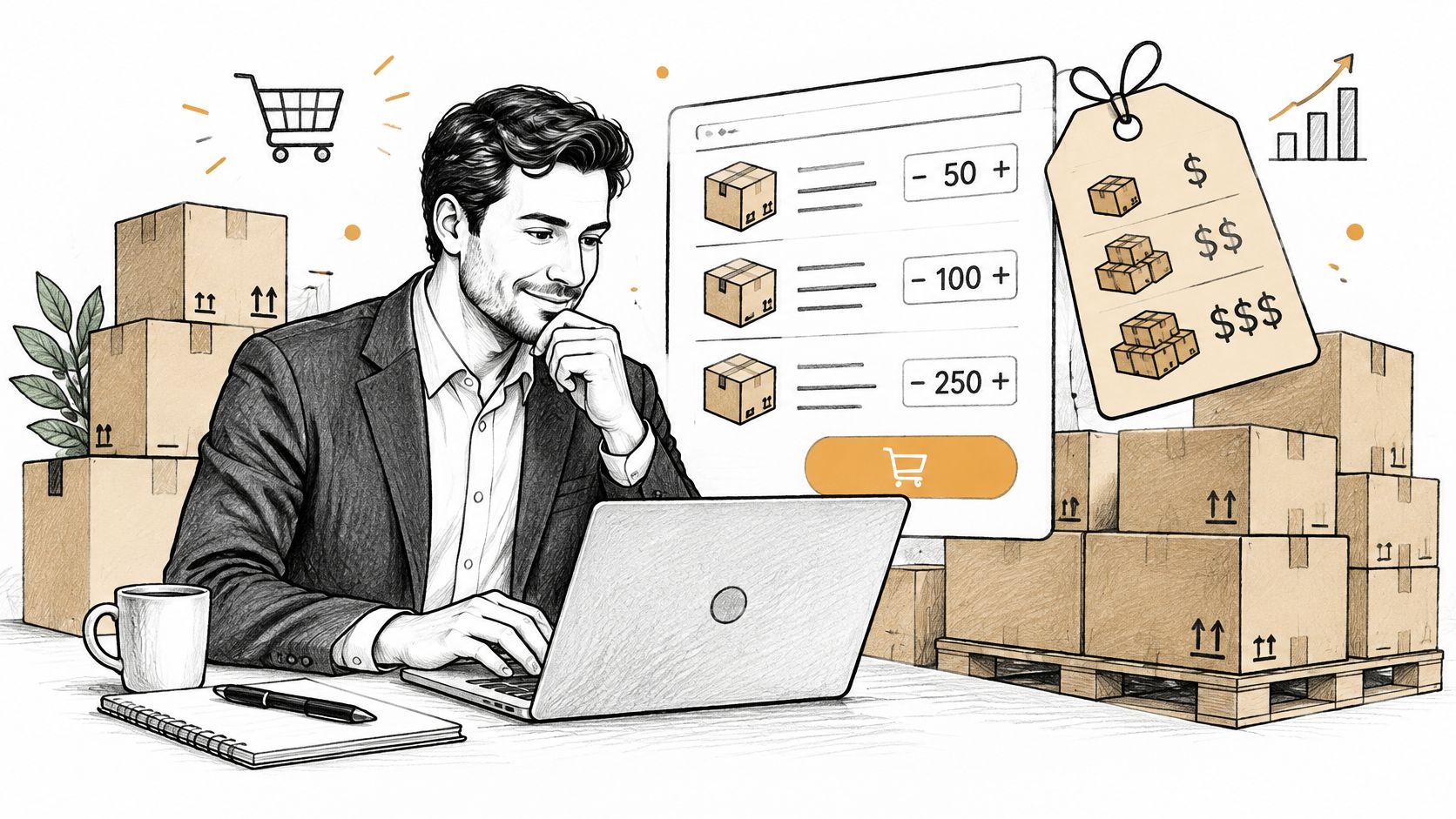
Buyers are also willing to place large orders through digital channels. In the 2024 McKinsey B2B Pulse survey of 3,942 decision-makers, 73% said they were willing to spend more than $50,000 per order through self-service digital commerce or remote sales, up from 59% two years earlier, as Digital Commerce 360's report on B2B e-commerce as the top channel sets out. A storefront designed only for small baskets makes larger orders harder to place.
The mechanics that move order value
- Case and pallet quantities: Sell in the units buyers receive. Show pack size on the product page and in each cart line.
- Quantity-break pricing: Put the price breaks beside the base price so buyers can compare the cost of 20 and 24 cases before adding them to the cart.
- Quick-add grids and CSV upload: Buyers ordering across many SKUs need a way to enter quantities in bulk, rather than adding products one at a time. Let them use a grid or upload a file that maps their part numbers to yours.
- Minimum order values: Set the threshold based on your actual picking, packing, and shipping costs. Track conversion at that threshold before raising it.
Minimums can filter out orders that cost more to fulfill than they earn, but a high threshold can also turn away a new account. Quantity breaks that appear only at checkout can feel like a bait and switch.
A single catalog can support draft orders, invoices, and wholesale workflows, so bulk quantities and minimums can feed into the same order process. Set the quantity breaks first. Add a minimum order value only after you can identify which baskets are unprofitable. Applying both on day one makes it impossible to tell which change cost you orders. For a closer look at reducing minimum order costs, consider how order size affects the cost of fulfillment.
2. Customer-Specific Pricing, Catalogs, and Contract Terms
Picture two accounts opening the same product page. One is a retailer on your wholesale tier, the other an enterprise account on a negotiated annual contract with rebates. If both see the same number, one of them calls you within the hour, and they're right to.
Pricing errors are the fastest way to lose a wholesale account. In Sana Commerce's B2B e-commerce trends and challenges report, 29% of buyers reported encountering inaccurate pricing, and 39% named a lack of pricing transparency as their leading frustration. The storefront isn't the problem in either case. The price data behind it is.
One catalog, pricing layered on top
Keep a single product record per SKU and resolve price at the account level through customer groups, price lists and contract overrides. The moment you duplicate a product to give an account a special price, you've created two records that will disagree within a quarter, and the invoice will be the one that loses.
On a unified platform such as PlatformDTC, wholesale, online and POS prices resolve from one catalog record, so a negotiated price doesn't drift between what the buyer sees and what finance bills.
Storefronts built for trade do this cleanly. A tile supplier can publish a public catalogue and a separate account-only price list for trade buyers, which is the model behind trade supplies from Tiles Mate. The data model underneath is what separates a consumer store with a wholesale login from a real wholesale operation, and this breakdown of an ecommerce platform for wholesalers goes deeper on the architecture.
Where it goes wrong
Two failure modes dominate. The first is tier sprawl: eleven price groups, each with exceptions, maintained by one person who leaves. The second is contract drift, where a renegotiated price gets entered on the account but not on the price list the storefront reads. Group customers into a small number of tiers, keep account-level exceptions to genuine contracts, and audit assignments monthly before a dispute finds the mismatch for you.
3. Self-Service Reordering and Streamlined Buyer Workflows
Most B2B revenue is repetition. The same twelve SKUs, the same delivery window, the same invoice terms, week after week. Buyers have told us for years that they don't want a conversation about it.
McKinsey's research on when B2B buyers want to go digital and when they don't surveyed more than 1,000 B2B buyers across four countries and found that only 15% wanted to speak with a salesperson when repurchasing exactly the same product, compared with 76% who valued salesperson contact while researching something new. Self-service tools have since become a selection criterion rather than a convenience: 84% of senior B2B decision-makers consider them critical when choosing a vendor, according to Contentful's 2025 B2B Buyer Benchmark Report.
Configuration that turns repeat buyers into self-service buyers
- Reorder from a past order: one button on the order history that copies every line into a new cart, with discontinued items flagged rather than dropped without notice.
- Saved lists on the account dashboard: surface the buyer's five most frequent purchases above the fold instead of hiding them two clicks deep.
- Draft orders for the rep: let sales build a custom bundle with negotiated pricing and send it as a draft the buyer accepts in one click, which keeps the negotiated order inside the same lifecycle as a self-service one.
- Approval thresholds: route orders above a set spend to a budget holder, and leave everything below it alone.
That last point is where most implementations stall. An approval step on every order trains buyers to batch their purchases or route around the portal entirely, which defeats the purpose. The other common failure is a reorder list that never reconciles with current stock, so a buyer submits a full basket and discovers the substitution three days later.
If you're rebuilding this workflow, B2B ecommerce solutions covers the feature set to compare before you commit. Track reorder rate and time-to-order as your success metrics, and watch them weekly for the first month.
4. Flexible Payment Terms and Automated Invoicing
A buyer who has to phone accounts payable to find out what they owe isn't a self-service customer, whatever your portal says.
Business buyers expect to pay on account, usually net 30, sometimes net 60, often against a purchase order number their finance team requires on the document. A card-only checkout pushes those buyers straight back to email. The storefront has to accept a PO reference, apply a credit limit, and produce an invoice that matches the delivery.
The configuration that prevents disputes
- PO number as a required field for accounts that need one, validated against a format so the reference lands on the invoice, the packing slip and the remittance advice.
- Invoices raised at fulfillment, not at order placement, so a partial shipment produces a matching partial invoice instead of a discrepancy that eats an hour of someone's week.
- Credit limits checked at submission, with a clear message to the buyer when they've hit the ceiling, plus a route to request an increase rather than a dead end.
- Payment reconciliation tied to the order record, so ACH or wire payments clear against specific invoices without anyone re-keying a spreadsheet.
Set credit limits from trade references and payment history, then review them quarterly. The trap is generosity at onboarding followed by silence for two years, which turns into a bad debt. The mirror-image mistake is automating invoices but not the dunning sequence, so late accounts only get chased when someone remembers.
A bakery ordering flour weekly on net 30 is the test case. It submits a PO, receives a delivery, gets an invoice that matches the delivery note, and pays on the same cycle every month without either team speaking. That's the whole advantage, and it only works when the invoice, the order and the shipment are the same record.
5. Lower Cost to Serve Through Automation
A wholesale order that arrives by email can trigger a chain of manual work: check stock, prepare a quote, enter the order, send confirmation, issue an invoice and track fulfillment. For a small account, that labor can erode the margin. Automation reduces repeat handling while keeping staff available for negotiations and requests that need a person.
In the MasterB2B 2024 State of B2B eCommerce report, 62% of B2B buyers said they preferred to restock supplies online because the process was quicker and more convenient, according to Optimizely's summary of the report.
A 2024 Sapio Research study of 400 companies across the United States, United Kingdom, Germany, the Netherlands, Denmark, Norway and Sweden found that 68% had an e-commerce storefront or self-service portal. E-commerce or portal orders accounted for an average of 50% of revenue, and respondents reported an average 25% revenue increase after implementation. The study also found that 85% planned to maintain or increase investment over the following 12 months, according to the Sapio Research and DynamicWeb B2B e-commerce trends report.
Where the money actually comes out
- Order confirmations and status updates: Send them automatically from the order record, rather than having staff write each message.
- Invoice generation: Trigger it from fulfillment so the invoice reflects what shipped.
- Complex request routing: Keep negotiations and new specifications with a sales rep. Let buyers handle standard orders through self-service.
- Cost per order: Compare labor hours, phone time and manual processing before launch and 90 days after. Use the same measures to decide whether to extend the automation.
Automation only helps when the underlying catalog and stock feed are maintained. Assign an owner, reconcile counts and keep one clear place to correct product or availability data. The same attention to inventory records described in managing hardware inventory in 2026 applies here: a bad feed can turn an efficient order workflow into a fast route to errors.
6. Expanded Reach Across Regions and Around the Clock Availability
A buyer three time zones away doesn't wait for your office to open, and increasingly they don't want to. In 2025, 78% of global B2B retailers expected their website sales to increase over the following three to five years, according to DHL eCommerce's 2025 B2B ecommerce trends report. That's a projection from the survey, not a result, but it explains where wholesale investment is going.

Digital ordering removes the territory and the clock at the same time. You can serve distributors in a new region without opening a branch, and a buyer can place a replenishment order at 11 p.m. on a Sunday before a Monday production run. Regional pricing, local currency, tax rules and shipping options let you do it from one storefront and one order system rather than a stack of local sites.
Launch one region at a time
Validate tax, shipping rates and payment methods on a single adjacent market before you open the next one. Display landed price and availability clearly, because a checkout that surprises a cross-border buyer with duty and freight at the final step produces abandoned carts and support tickets rather than orders. Use multi-location inventory so the order ships from the nearest warehouse and the delivery promise holds.
Sequence that works: open one adjacent region, watch landed cost, delivery performance and returns for a quarter, then expand again with what you learned.
The trade-off is fulfilment economics. Cross-border delivery cost, returns handling and customs complexity can erase the margin on a small international order, and a digital storefront doesn't fix any of the three. Price the freight, set a realistic delivery window, and consider a wholesale partner in the region before you ship direct.
7. Unified Omnichannel Sales Across Online, POS, and B2B
Buyers don't experience your channels as separate. In McKinsey's global B2B Pulse research, buyers use an average of 10 interaction channels during the purchasing journey, up from five in 2016, and among the 71% of organisations offering e-commerce, roughly one-third of total revenue flows through digital channels, as McKinsey's five fundamental truths about how B2B winners keep growing reports. A buyer might research on the site, negotiate by video, order through a rep, and pay an invoice. One wrong price anywhere in that chain undoes the rest.
Here's where the architecture decision gets expensive. Run your storefront, POS and wholesale portal on separate systems and inventory, pricing and customer records drift apart within weeks. A retail counter sells the last unit while the web store still shows it in stock. A rep quotes a price the storefront doesn't know about.
One catalog, one inventory count and one order record fix this. Store stock becomes available to online orders, a field rep can draft a wholesale order that lands in the same lifecycle as a self-service checkout, and a return processed at the counter updates the same customer record finance sees.
Consolidation is a migration project, not a switch. Map every channel's pricing and inventory rules first, so the exceptions you've accumulated don't get lost in the move, then run the new stack in parallel with the old one and reconcile order and inventory totals daily before cutover. If you're evaluating the move, this overview of a unified commerce platform covers what to check. Assign one owner for product data governance, because the drift you're fixing will return the moment nobody owns it.
8. Rich Buyer Analytics and Data-Driven Account Management
Account management without data looks like a rep calling whoever they happen to remember. Every order in a B2B storefront produces a record: purchase frequency, average order size, product mix, reorder cycle, payment behaviour, quote-to-order time. That's the raw material for managing accounts as a system rather than a memory exercise.
Three signals that predict churn before the buyer tells you
- Reorder interval drift: if a distributor normally orders every 28 days and it's now day 41, something changed. Build the alert before the account goes quiet for a quarter.
- Product mix narrowing: a buyer who stops ordering an entire category is often trialling a competitor on that line, not cutting their budget.
- Payment behaviour slipping: an account that moves from on-time to 15 days late is telling you something about their cash position, and it usually precedes a volume drop.
Add quote-to-order time and support contacts per order if your sales cycle runs through custom quotes. Both expose friction that revenue figures hide.
A worked example. A rep owns an account with a steady 30-day cycle and a stable basket of nine SKUs. On day 38 the alert fires, and instead of a generic check-in call, the rep sends a draft order built from the last three purchases with the two most likely add-ons attached. That's the difference between analytics as a dashboard and analytics as an account action.
If a metric doesn't change a decision someone makes on a Tuesday, take it off the dashboard.
The trade-off is definitional chaos. Sales, finance and marketing will all report different reorder rates unless someone writes down how each metric is calculated and where it comes from. Keep the set to three to five numbers, review them monthly with the people who act on them, and let the rest live in a report nobody has to defend.
The 8 Advantages of B2B E-Commerce at a Glance
| Advantage | Primary benefit | Key capability | Example leader | Best for |
|---|---|---|---|---|
| Higher order value through bulk purchasing | Increases revenue per customer and lowers fulfillment cost per unit | Tiered pricing, minimums, and bulk order grids | Grainger | Sellers serving buyers with large or recurring orders |
| Customer-specific pricing and catalogs | Protects wholesale pricing and honors negotiated agreements | Account-level price lists and restricted catalogs | Dell Technologies | Businesses with varied customer contracts and assortments |
| Self-service reordering and workflows | Speeds repeat purchases and reduces routine sales support | Order history, saved carts, and approval workflows | Amazon Business | Buyers who frequently reorder across purchasing teams |
| Flexible payment terms and automated invoicing | Reduces billing work and meets business payment expectations | Credit terms, purchase orders, and automated invoices | Faire | Wholesale sellers and buyers that purchase on account |
| Lower cost to serve through automation | Enables efficient service for more customers | Automated order capture, invoicing, and status tracking | Alibaba.com | Sellers looking to scale routine orders with fewer manual tasks |
| Expanded regional reach and availability | Reaches buyers across regions and time zones | 24/7 ordering with localized pricing and shipping | Alibaba.com | Businesses expanding into new geographic markets |
| Unified omnichannel sales | Keeps inventory, pricing, and customer records consistent | Shared catalog and synchronized inventory across channels | Shopify POS | Businesses selling online, in person, and through B2B |
| Buyer analytics and data-driven account management | Improves account retention, targeting, and sales decisions | Account purchase history and reorder analysis | Grainger | Sellers managing accounts with data-informed sales strategies |
Choosing the Advantages That Move Your Numbers First
A useful B2B rollout starts with a specific bottleneck, not the full feature list. If buyers wait on sales staff to repeat an order, test self-service reordering first. If billing delays the next purchase, prioritize invoicing and payment workflows. Choose one change that addresses a real constraint, then measure its effect before adding more.
Keep the first rollout narrow. Select a buyer cohort and record the current order cycle, reorder rate, and support work involved. Run the new workflow alongside the old one until order totals and records reconcile. That comparison shows whether the change helped without relying on sitewide averages.
Sequence the work around dependencies. Account-specific catalogs and terms need accurate customer and product records. Automation needs a clear order process to automate. Analytics becomes more useful as storefront, order, and campaign activity share consistent records.
Combining every change in one release increases the number of workflows to troubleshoot at once. A unified catalog and order record can reduce data drift, but it does not remove the need to configure each process and test it with buyers.
PlatformDTC supports B2B draft orders, invoicing, and wholesale workflows on the same catalog and order record as its DTC storefront. Businesses can build and publish a store for free, with payment due only after a sale. For a first rollout, choose one buyer workflow, measure the result, then add the next capability when the underlying records are reliable.
If wholesale orders still arrive through spreadsheets or phone calls, consider whether a shared catalog and order record can support a more direct workflow. PlatformDTC combines draft orders, invoicing, and wholesale workflows with its DTC storefront. See PlatformDTC's B2B and DTC workflows.