The most popular advice about an order confirmation email is to send it immediately and make it look on-brand. That's incomplete. A beautifully designed message can still tell a shopper their payment is complete when it's only authorized, or promise delivery before inventory has been assigned.
Treat the confirmation as the first state of a live delivery record, not just a receipt. Its job is to establish what's true now, explain what happens next, and give the customer a dependable place to check when something changes. Brand polish matters, but it can't compensate for an order record that disagrees with the warehouse.
Table of Contents
- Required Data Every Order Confirmation Needs
- How to Build the Confirmation Template Step by Step
- When Each Confirmation Should Fire
- Writing Delivery States Without Contradictions
- Keeping Confirmations Out of the Spam Folder
- Metrics That Show Whether Confirmations Work
- Run a Pre-Launch Confirmation Test
Required Data Every Order Confirmation Needs
The shopper has just paid. They want proof that checkout worked, and they're likely to look for that proof before they close their inbox. A missing message leaves them deciding whether to wait, contact support, or risk placing the order again.
In a survey of more than 2,000 consumers across five countries, Mailgun found that 74% preferred email for transactional messages, and 71% would check spam or junk if a transactional message failed to arrive. Reliability and recognizable order details deserve priority over a celebratory headline.
Required order data and the mistake that breaks trust
Build the template around these fields. Give designers the field definitions, not just a sample screenshot, so they know which content must survive long product names, missing images, and unusual payment states.
| Element | What to Include | Common Mistake |
|---|---|---|
| Order number | Canonical ID matching the order record and support tickets | Showing a cart or checkout ID instead |
| Timestamp and payment status | Date and time in the buyer's time zone, with the zone identified; paid, authorized, or pending | Saying paid while the charge is only authorized |
| Line items | Product name, variant, quantity, unit price, and line total | A summary without quantities, making bundles look wrong |
| Discounts and taxes | Each discount code and amount, with tax shown by jurisdiction | Netting discounts into prices without a breakdown |
| Shipping method and address | Carrier service level, when assigned, and the address exactly as entered | Showing an address that differs from checkout |
| Delivery promise | Date range or pickup window, plus the next expected event | Giving a fixed date the carrier can't reliably meet |
| Support path | Monitored reply-to address or chat link with the order number pre-filled | Using a no-reply sender without another way to ask |
| Live order link | Access to a status page that updates as the order progresses | Offering only a static PDF |
Financial accuracy, item identity, fulfillment destination, and access to help are essential. Render monetary values from stored order amounts rather than recalculating discounts inside the email template. Otherwise, rounding rules or bundle logic can produce a total that differs from checkout.
Optional fields should earn their space. A loyalty balance can wait; a made-to-order production estimate may be necessary to explain why there isn't a dependable arrival window yet. If the delivery estimate is unavailable, show that clearly and identify the event that will make it available.
How to Build the Confirmation Template Step by Step
Build the content hierarchy before choosing decorative elements. The designer should decide what the shopper sees first, while the developer identifies the authoritative field behind every visible value.
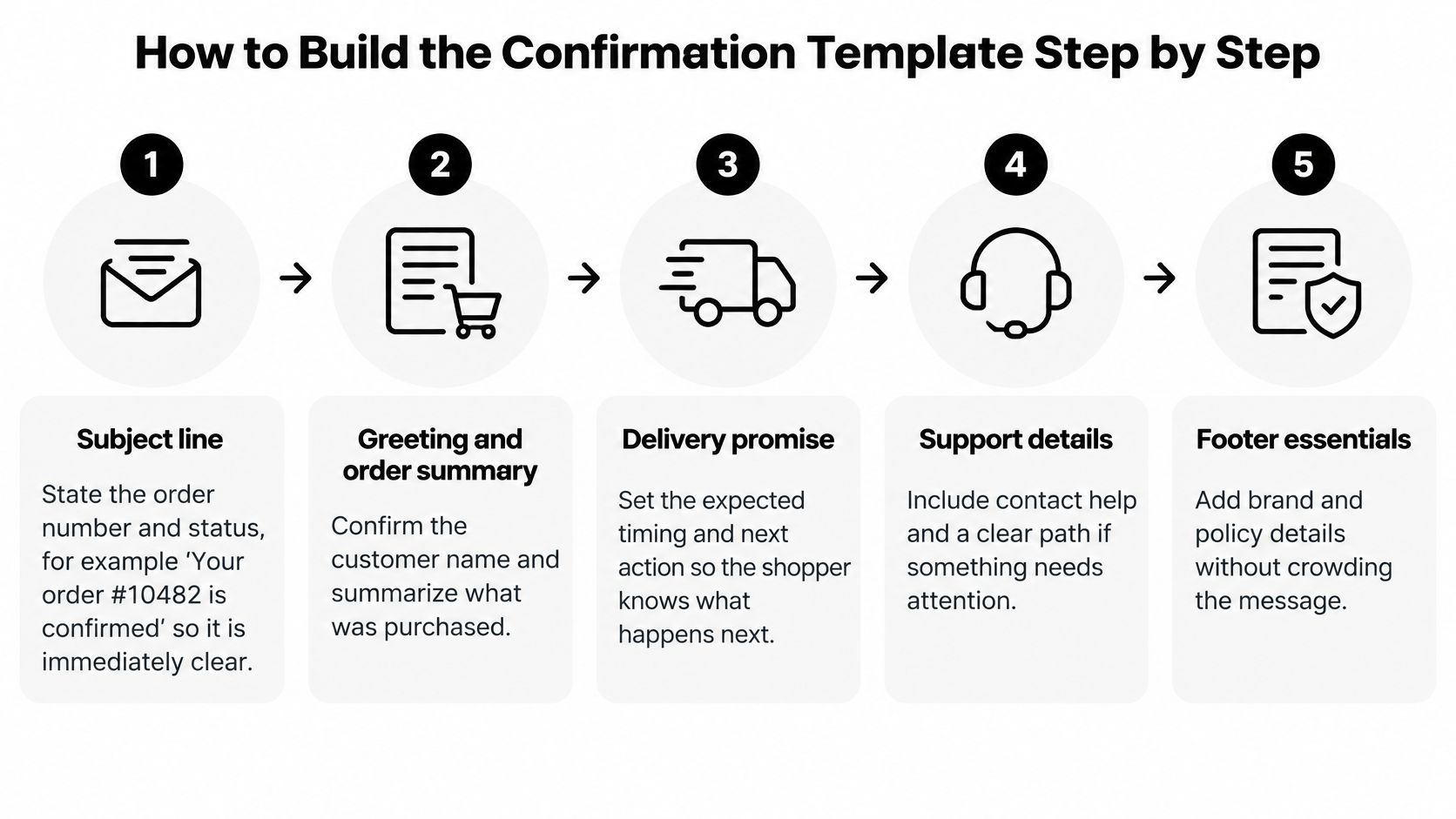
Build in reading order
-
Write the subject around status. Use a direct pattern such as Your order #10482 is confirmed for a hypothetical confirmed order. Put the useful information before brand language so a truncated notification still makes sense.
-
Identify the sender. Use a recognizable brand name and branded sending address, with replies routed to a monitored mailbox. A friendly display name doesn't help if the customer's reply disappears.
-
Lead with the summary. Show the order number, localized timestamp, total, and payment status near the greeting. Personalize with the first name only when it's available, using a neutral fallback rather than exposing an empty variable.
-
Render the purchased items. Use the purchased variant's thumbnail, descriptive text, quantity, unit price, and line total. Keep text complete without images, and make the financial breakdown reconcile with the stored order total.
-
Group delivery information. Place the shipping method, address, delivery window, and live order access together. Don't make shoppers assemble their next step from separate promotional blocks.
-
Finish with a clear action. Make View order the primary button, followed by support details and a restrained footer containing the business address and applicable legal text. Keep any permitted cross-sell below the operational content, or leave it out entirely.
For layout decisions, Grumspot's email design guidance for Shopify brands is a useful reference. Apply visual consistency without letting oversized headers push purchase details out of the initial mobile view.
A worked template with trust checks
Consider this hypothetical two-item order. Bracketed fields below represent values supplied by the order record, not text that should reach a customer.
| Block | Example content | Trust-breaking mistake |
|---|---|---|
| Subject and greeting | Your order #10482 is confirmed. Hi Maya, thanks for your order. | Calling an unresolved payment confirmed |
| Summary | Order #10482; [purchase timestamp and buyer's time zone]; [stored total]; Paid only after capture | Deriving paid status from authorization |
| First item | [Purchased thumbnail]; Cotton T-shirt, navy, medium; quantity [ordered quantity]; [unit price]; [line total] | Showing a default product image or variant |
| Second item | [Purchased thumbnail]; Canvas tote, natural; quantity [ordered quantity]; [unit price]; [line total] | Omitting an item because its image is missing |
| Breakdown | WELCOME: [discount amount]; [tax jurisdiction]: [tax amount]; shipping: [amount]; total: [stored total] | Hiding the discount or unexplained tax |
| Delivery | [Selected carrier service]; [verified delivery window]; [checkout address] | Substituting a generic shipping estimate |
| Action and help | View order button; reply for help with order #10482 pre-filled in the support context | Requiring the customer to identify the purchase again |
| Footer | [Business name and postal address]; [applicable policy text] | Publishing unresolved template fields |
If you include a promotional block, place it below these blocks and keep it visually secondary. Before approval, test a narrow mobile viewport, images disabled, and dark mode. Check that the button remains legible, the totals don't wrap ambiguously, and fallback text still explains the order.
When Each Confirmation Should Fire
Commit first, send second. Trigger the message only after the order and relevant payment state are durably stored, then send within a few minutes. Render from the same canonical order record that fulfillment uses, rather than a temporary checkout payload.
Nielsen Norman Group recommends an immediate transaction confirmation followed later by a shipping confirmation for physical commerce. Waiting for shipment before acknowledging the purchase leaves customers wondering whether checkout succeeded.
Match the event to the message
- Partial fulfillment: Send a shipment-specific confirmation containing only the items in that shipment and its tracking information.
- Authorization followed by capture failure: Send a payment-hold or action-required notice, not a final paid receipt.
- Subscription renewal: Generate a renewal receipt within the same lifecycle used for one-time orders, preserving the relationship to the subscription.
- POS purchase: Produce the counter receipt and send an email receipt where the customer has opted in to receive it.
- B2B invoice: Show the agreed payment terms and outstanding balance rather than borrowing consumer paid-receipt language.
- Address change: Send an updated confirmation identifying the revised destination and whether the change reached fulfillment in time.
Prevent duplicate sends without blocking updates
Generate the initial confirmation's idempotency key from the canonical order ID and message type. For later updates, include the relevant event or shipment identity so legitimate changes aren't mistaken for duplicates.
Stop application retries after definitive provider acceptance. If a request times out ambiguously, reconcile its status before resubmitting rather than assuming it failed.
Operational rule: A repeated webhook isn't a new purchase.
Log the event ID, template version, provider response, delivery status, and retry count. Distinguish provider acceptance from inbox delivery so engineers can trace a missing message without accidentally generating another receipt.
Writing Delivery States Without Contradictions
An accepted order doesn't always have a reliable arrival date. When allocation or production is unresolved, say that the order has been received and explain what will establish the delivery window. Don't fill the gap with a confident estimate copied from a generic shipping policy.
In its 2025 study of 57 major U.S. retailers, parcelLab found that every retailer sent order and shipping confirmations, but only 72% notified customers when delivery was completed. Sending the first message doesn't mean the retailer has completed the communication workflow.
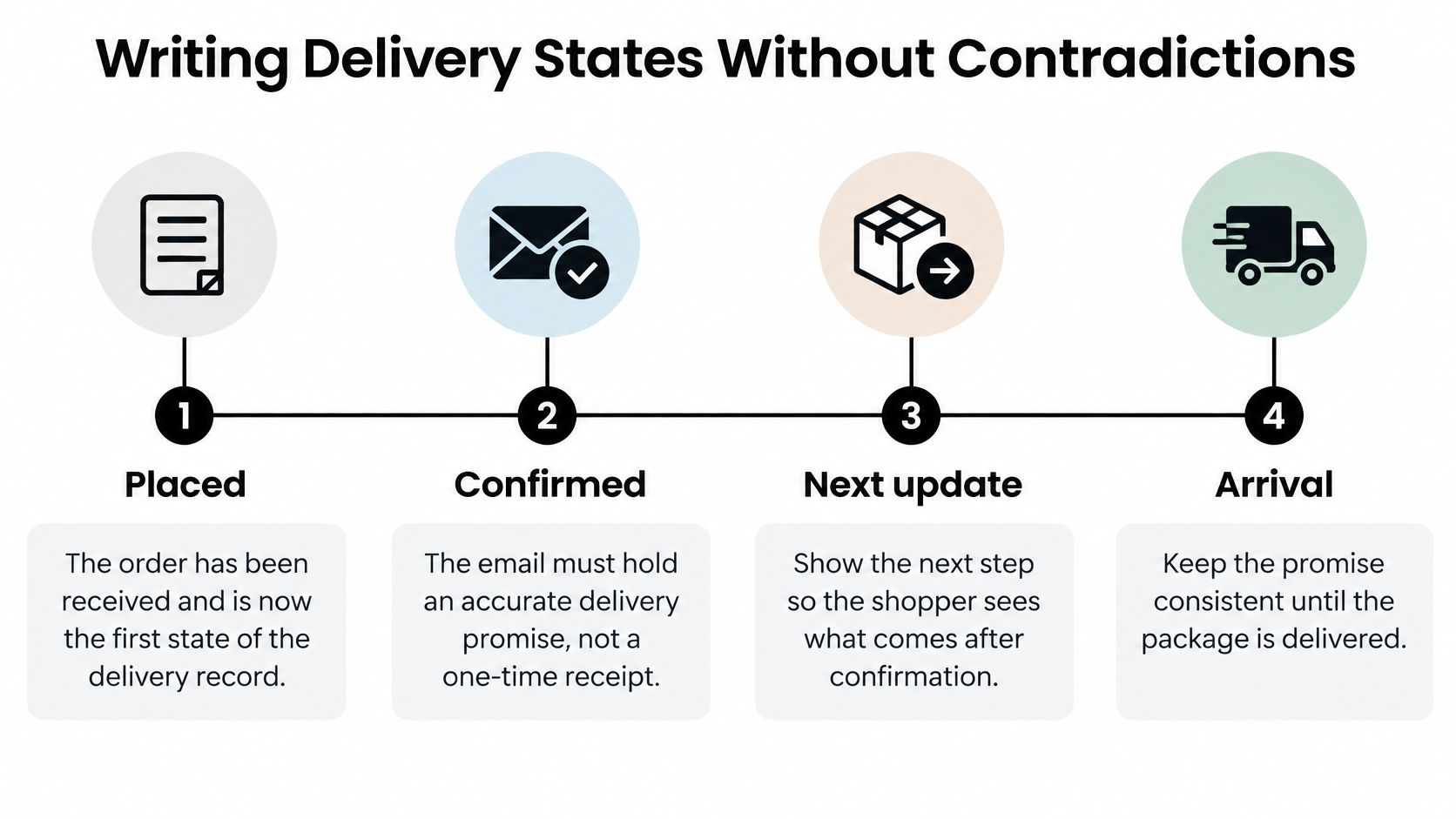
Order states, what the email says and the next event
Payment, allocation, and shipment are related dimensions, not necessarily a universal linear sequence. Use these states only when their underlying conditions are true.
| State | What the Email Says | Next Event Shown |
|---|---|---|
| Order accepted | Order received; items reserved only if reservation succeeded; no shipping promise yet | Payment confirmation or fulfillment start |
| Payment authorized | Funds held; explain when capture is scheduled under this order's payment workflow | Charge capture or cancellation notice |
| Inventory allocated | Items assigned to a warehouse, with an estimated ship window | Shipment created |
| Shipment created | Carrier, tracking number, and updated delivery window; distinguish label creation from handover | First carrier scan |
| Delayed | Revised date and reason; apology when the brand caused the delay | New estimated date or available reschedule option |
| Partially fulfilled | Identify shipped and outstanding items, with tracking for each available shipment | Remaining shipment |
| Delivered | Delivery time and location, plus a missing-package path | Review or feedback request after an appropriate interval |
| Exception | Carrier or address problem and the exact action required | Support reply within the team's stated response time |
Write changes as changes
For a warehouse-caused delay, use a message such as:
Your delivery window has changed to [revised window] because our warehouse dispatch was delayed. We're sorry we missed the original schedule. View your available delivery options or reply for help.
Don't invent a replacement date when the carrier hasn't supplied one. State that the estimate is being confirmed, identify who owns the follow-up, and publish the next update commitment your team can meet. Offer rescheduling only when the service supports it.
A delivered scan also needs a fallback. If the customer reports no package, present the carrier event as reported information and provide a missing-package route instead of insisting that delivery is settled.
Map these transitions to your order fulfillment process. Email, SMS, POS, subscriptions, and support should consume the same order identity and state definitions, with timestamps and precedence rules for conflicting events. Otherwise, a stale integration can describe an order as processing after another channel announces shipment.
Every accepted state change should update the live record and inform the next message. Keep the original email as a historical snapshot, with its button leading to current information.
Keeping Confirmations Out of the Spam Folder
A confirmation in spam may be technically delivered while the customer experiences it as missing. Transactional order confirmations usually reach the inbox more reliably than campaigns, yet that advantage disappears when authentication, stream separation, or content hygiene slips. Treat the confirmation as the first state of the delivery record: the inbox copy and every link should resolve to the same current order status.
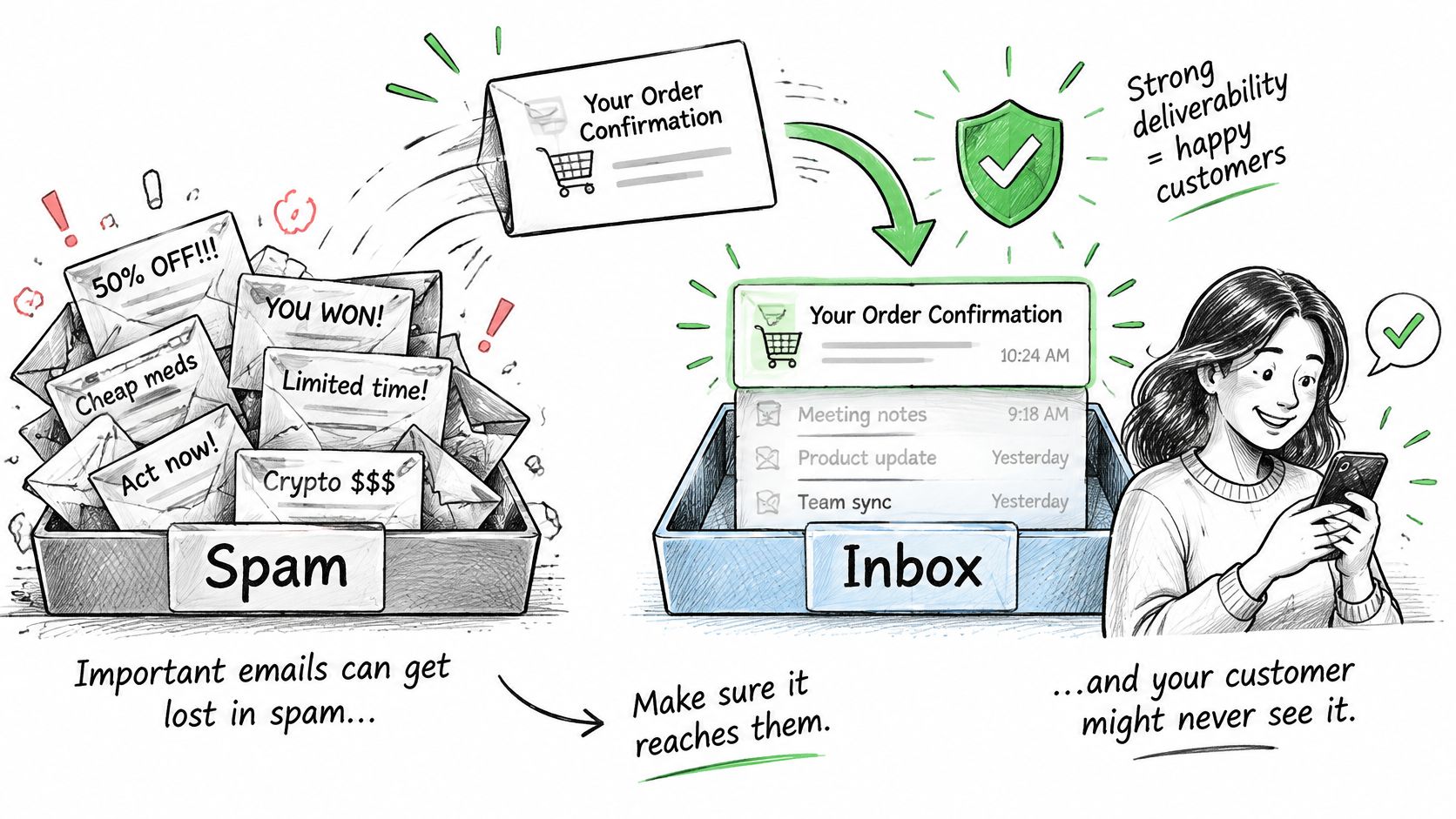
Separate traffic and verify authentication
Use a dedicated transactional stream or subdomain rather than placing receipts in the same undifferentiated traffic pool as campaigns. Separation gives operators clearer reputation signals and control, although transactional traffic still inherits risk from the broader sending setup.
Have the email engineer verify SPF, DKIM, and DMARC, including alignment with the visible sending domain where applicable. Recheck after a provider migration, a sending-domain change, or a DNS cleanup that touched mail records. A template rewrite cannot repair an authentication failure.
Keep the confirmation operational. Large coupon banners and campaign-style offers add filtering variables and distract buyers who want purchase information. Transactional templates should differ from your broader email marketing program.
Monitor what customers can actually receive
- Send multipart content: Include a useful plain-text alternative alongside HTML, with matching order status and usable destinations.
- Use representative seed accounts: Test Gmail, Outlook, and an iCloud mailbox viewed in Apple Mail. Apple Mail is a client, so separate rendering problems from the receiving mailbox provider's filtering.
- Review weekly signals: Check complaints, hard bounces, deferrals, and provider-specific delivery changes. Investigate spikes by message stream and template version.
- Maintain suppression hygiene: Do not repeatedly resend to a hard-bounced address. Route unresolved receipt delivery to a support workflow instead of an endless retry loop.
Seed accounts are diagnostic tools with limited coverage. Read them beside provider feedback and actual delivery events. If placement drops or events turn negative, pause optional template changes and inspect authentication first. Then review reputation, bounce patterns, traffic shifts, and content, changing one suspected cause at a time so the team can see what restored delivery.
Metrics That Show Whether Confirmations Work
Open rates are unreliable on their own. Privacy-related image prefetching and repeat opens inflate the count, and benchmark publishers use different datasets and definitions. A strong open rate does not prove the shopper understood the delivery promise or knew where to find help.
The better test is whether the confirmation behaved like the first state of a live delivery record: whether the status it set still matched the order a week later, and whether later updates stayed consistent with it.
Confirmation benchmarks and how to read them
These reported figures establish context, not a universal performance target. Keep each publisher's scope attached to its numbers.
| Metric | Reported Benchmark | Source | How to Read It |
|---|---|---|---|
| Open rate | 53.99% for confirmations; 62.99% for automated order updates | Omnisend ecommerce benchmark | Track your own trend rather than treating cross-brand averages as a threshold |
| Open rate, 2025 dataset | 57.91% in a dataset covering more than 27,000 brands | Feat's account of Omnisend's benchmark | A broad reference, not a prediction for your store |
| Open rate, recent range | Approximately 60%–70% | MailerToGo, 2024–2025 benchmarks | Pair opens with observable customer actions |
| Click rate | 3%–5% recent range; 12.5% in Experian's 2009–2010 data | Recent range from the MailerToGo benchmarks above; older figures reported by Omnisend | Older inbox behavior is context for how far expectations have moved, not a modern target |
| Revenue per send | $1.60 in the Omnisend benchmark; $2.88 in the 2025 dataset | Both reported in the Omnisend and Feat rows above | Attribution methods shape the apparent commercial value, so fix your window before comparing |
Read each figure against its denominator. An open rate counted on delivered mail behaves differently from one counted on accepted mail.
Measure operational outcomes by template version
The most useful dashboard connects the message to what customers do afterward. Put these measures beside delivery events in your ecommerce analytics dashboard:
- Click-attributed revenue: Choose a fixed attribution window before comparing templates. Exclude the original order value and distinguish a subsequent purchase from an order-status click.
- Order-status contact rate: Count where-is-my-order contacts per hundred orders using consistent support tags. Segment by shipment delays and fulfillment method so carrier problems do not masquerade as copy problems, and flag contacts where the customer's question contradicts an earlier message. Contradictions usually mean the update was generated from a different system than the order record itself.
- Delivery-promise accuracy: Compare the window promised in the confirmation against the actual delivery event on the same order. A widening gap by template, carrier or fulfillment method is a content problem as much as a logistics one.
- Spam complaint rate: Track reported complaints against the relevant send denominator, using the provider's definition consistently. Investigate whether customers recognize the sender and understand why they received the message.
Preserve template version, order ID, and send event in reporting. If a wording change increases support contacts, the team needs to isolate that version rather than comparing unrelated periods.
A confirmation that reduces uncertainty can succeed without generating another purchase.
Evaluate commercial outcomes alongside operational clarity. Adding recommendations may raise revenue per send while making delivery information harder to find, so do not approve the change on revenue alone.
Run a Pre-Launch Confirmation Test
A preview with a perfect sample order isn't a launch test. Create staging orders that exercise the transitions most likely to expose incorrect mappings or send rules, then deliver the resulting messages to seed accounts.
Exercise the failure paths
- Duplicate webhook: Replay the purchase event and inspect the resulting send history.
- Capture failure: Authorize payment, fail capture, and examine the customer-facing status.
- Partial fulfillment: Split the order and inspect each shipment's item scope.
- Subscription renewal: Verify the renewal context and financial record.
- POS purchase: Check receipt routing and the customer's email preference.
- B2B invoice: Verify payment terms and the outstanding amount.
- Post-order address change: Confirm the revised address and fulfillment eligibility.
For every result, compare the subject, order number, amounts, breakdown, delivery promise, live order destination, and support path against the staging record. Check the destination page as a guest customer, not only as a logged-in administrator.
Require evidence before cutover
Inspect the event ID, template version, provider response, delivery status, and retry count. Confirm that provider acceptance suppresses a repeated send, while a legitimate later update still generates the appropriate message.
Use Mailwarm to check where your emails land alongside your own seed-account checks. Record each mismatch with its triggering scenario, fix the mapping or template, and rerun that scenario rather than approving a cosmetic preview.
Schedule the staging run this week and name an owner for each failed case. Switch the live template only after every scenario passes and the seed accounts show the expected inbox placement.
PlatformDTC's email and SMS campaigns, flows, and checkout recovery use the same customer and order records as the storefront, helping teams keep purchase messaging tied to current order information. Its free built-in apps include order tracking, fraud protection, email, SMS, and checkout recovery. Visit PlatformDTC to evaluate a unified order lifecycle for your storefront and post-purchase communications.