You usually notice the problem when the room is already noisy. A store associate says the shelf is full, the ecommerce team says the PDP still shows inventory, and a customer just bought the last unit at the counter while your paid campaign keeps sending traffic to a product that can't be fulfilled. That gap is the main reason POS integration matters, because it keeps the systems behind the sale aligned before the next order lands.
At its simplest, what is POS integration? It's the connection between your point-of-sale system and the rest of your commerce stack so sales data, inventory, customer records, and payment activity move automatically instead of being retyped, exported, or reconciled by hand. The practical outcome is fewer mismatched records, fewer blind spots, and a better chance that your online promise matches your in-store reality.
Table of Contents
- The Omnichannel Inventory Crisis Every DTC Brand Faces
- Understanding How POS Integration Works
- Key Integration Points for Modern Retailers
- Unified Platforms Versus Best-of-Breed Stacks
- Hidden Risks and Operational Complexities
- Building Resilient Integration Workflows
- Making the Integration Decision for Your Business
The Omnichannel Inventory Crisis Every DTC Brand Faces
Black Friday exposes weak integration fast. Your online store shows twenty units left, your retail team sold the last case minutes ago, and a customer still checks out online because the product page says “in stock.” That order turns into a support ticket, a refund, or a split shipment because the systems were not updating each other in time.

POS integration connects the sale at the counter to the inventory view, customer record, and order history, so the next shopper sees a more accurate picture whether the purchase happens at a terminal or online checkout. That matters because the gap is not theoretical. According to Swell's POS integration statistics summary, 85% of restaurant operators now prioritize system integration when selecting POS software, and 64% of retailers connect POS with inventory and CRM software to improve accuracy and retention. The same source says modern integrations can reach 566% ROI in the first year and places the global POS system market at USD 36.19 billion in 2025, projected to reach USD 114.72 billion by 2035.
Practical rule: if the store can sell it, the online channel has to know it fast enough to stop overselling.
Manual handoffs fail under peak traffic. A staff member exports a CSV, someone else imports it later, and the mismatch is already live on the site. Anyone who has worked through workflow design for inventory systems knows the hard part is not recording the sale. It is keeping every downstream view consistent after the sale clears.
A DTC brand does not need more dashboards if the numbers in those dashboards disagree. It needs one order lifecycle, one inventory truth, and a process that keeps moving when a store is busy, a courier is delayed, or a merchandiser changes the assortment mid-campaign.
Understanding How POS Integration Works
A sale at the register should not stay trapped at the register. Once a transaction clears, POS integration pushes that event into inventory, accounting, CRM, and order management so teams are not retyping the same data across systems.
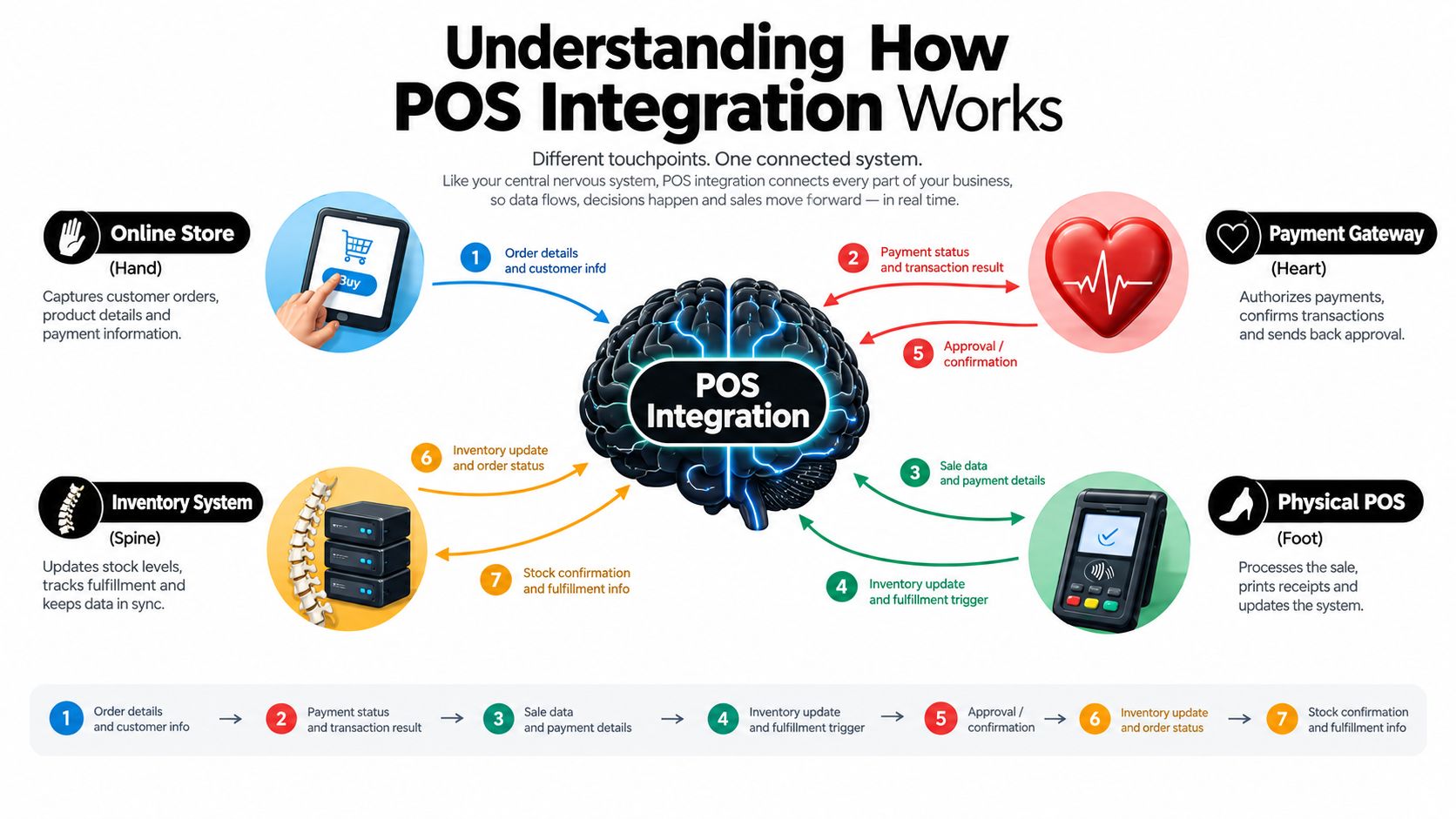
At the technical level, modern POS integration usually runs through APIs or middleware. Those layers convert POS events into machine-readable payloads, then send them to the systems that need to respond. A completed sale can post revenue, reduce SKU-level inventory, and update customer and order records across downstream tools without waiting for a nightly sync NetSuite's point-of-sale integration guidance.
Practices that help
The cleanest way to understand the flow is by event, not by software name.
- Online Store sends the order event, the POS layer receives it, and inventory is adjusted.
- Physical POS records the transaction, then customer and order systems receive the update.
- Inventory System becomes the source of what is left, instead of a spreadsheet to clean up later.
- Payment Gateway confirms the transaction so finance and operations are working from the same sale.
That flow matters because real-time synchronization narrows the gap between what was sold and what every team believes is available. If the update lands immediately, you reduce overselling and cut the manual reconciliation that follows missed syncs. If it does not, staff end up fixing exceptions after the fact, and labor costs rise with every mismatch.
A simple systems map helps here. Sales channels feed the POS event, the POS event pushes into customer, inventory, accounting, and fulfillment systems, and those systems send status back so the front end stays current. The POS system comparison by Bridge Global is useful when you are checking whether a POS platform connects cleanly to the rest of your stack instead of creating another isolated tool.
For teams that want a broader view of how a connected retail stack fits together, PlatformDTC's POS overview shows how in-person and online order records can stay aligned inside one operating environment.
A register that cannot pass the event downstream only makes cleanup faster to start. It does not reduce the cleanup.
Key Integration Points for Modern Retailers
Not every connection matters equally. The most important integrations are the ones that keep the business executable across channels, especially when one location is busy and another channel is still accepting orders. For most retailers, that means four areas deserve the most attention: inventory, order management, customer records, and payments.
Inventory synchronization is the first test. When a product sells in-store, the available count has to move everywhere else fast enough that the ecommerce team isn't showing phantom stock. That's exactly why the integration layer has to translate POS events into machine-readable updates, not just dump raw receipts into a file NetSuite's integration guidance.
Order management is the next layer. A sale doesn't just reduce stock, it starts a chain of fulfillment decisions. A connected system lets the same order lifecycle support ship-from-store, in-store pickup, returns, and customer service lookups without asking teams to stitch together separate records.
CRM integration matters because customers don't think in channel silos. If a shopper buys in-store today and online next week, your team should see one history, not two partial profiles. The point isn't just personalization, it's reducing duplicate records and awkward service interactions.
Payment processing closes the loop. The POS has to talk to the gateway so financial records, refunds, and reporting all line up with the same transaction. That's where PlatformDTC's payment gateway setup is relevant as a practical reference point, because payments can't be treated as a separate afterthought if you want a single order record.
What this looks like in practice
A connected stack doesn't mean every tool has to do everything. It means each tool knows which record it owns, and the POS layer passes the right event to the right place at the right moment. That's the difference between a brand that can scale through channels and one that keeps reconciling its own mistakes.
The best integrations feel boring in daily use, because the data just lands where it should.
Unified Platforms Versus Best-of-Breed Stacks
There are two basic ways to build POS integration. One is a unified platform with a single record model. The other is a best-of-breed stack where specialized tools are stitched together through APIs and middleware.
| Approach | Total cost of ownership | Integration burden | Data consistency | Operational resilience |
|---|---|---|---|---|
| Unified platform | Usually easier to reason about because services share one model | Lower ongoing maintenance | Stronger alignment across inventory, discounts, and attribution | Easier to govern when teams share one source of truth |
| Best-of-breed stack | Can look cheaper at the start, especially if tools are already in place | Higher, because each connection has to be maintained | More exposed to drift across systems | More fragile when one connector, mapping, or schedule breaks |
Fragmented app stacks cause data drift across inventory, discounts, and attribution. Unified platforms reduce that drift through a single record model that keeps one order lifecycle and one discount engine across channels. That matters because the issue with fragmented stacks isn't only complexity, it's inconsistency, and inconsistency is expensive when the customer is standing at the register or checking out online.
A best-of-breed stack can still be the right answer for a team with strong engineering capacity and a very specific operational need. Specialized tools may outperform a general-purpose suite in one function, and some brands accept the maintenance load in exchange for that specialization. The trade-off is that every new tool adds a new mapping, a new failure mode, and another place where the truth can split.
A unified platform is usually easier on operations when your team wants fewer moving parts and a cleaner ownership model. It's not magic, and it doesn't remove the need for governance, but it does reduce the number of handoffs where data can go stale. For founders, the right question is less “which stack has more features?” and more “which stack can still behave predictably when the business gets busy?”
Hidden Risks and Operational Complexities
Integration doesn't always simplify the business. It can reduce manual entry while making the system more dependent on real-time coordination, and that means a bad mapping or a temporary outage can spread farther than it would in a looser setup.
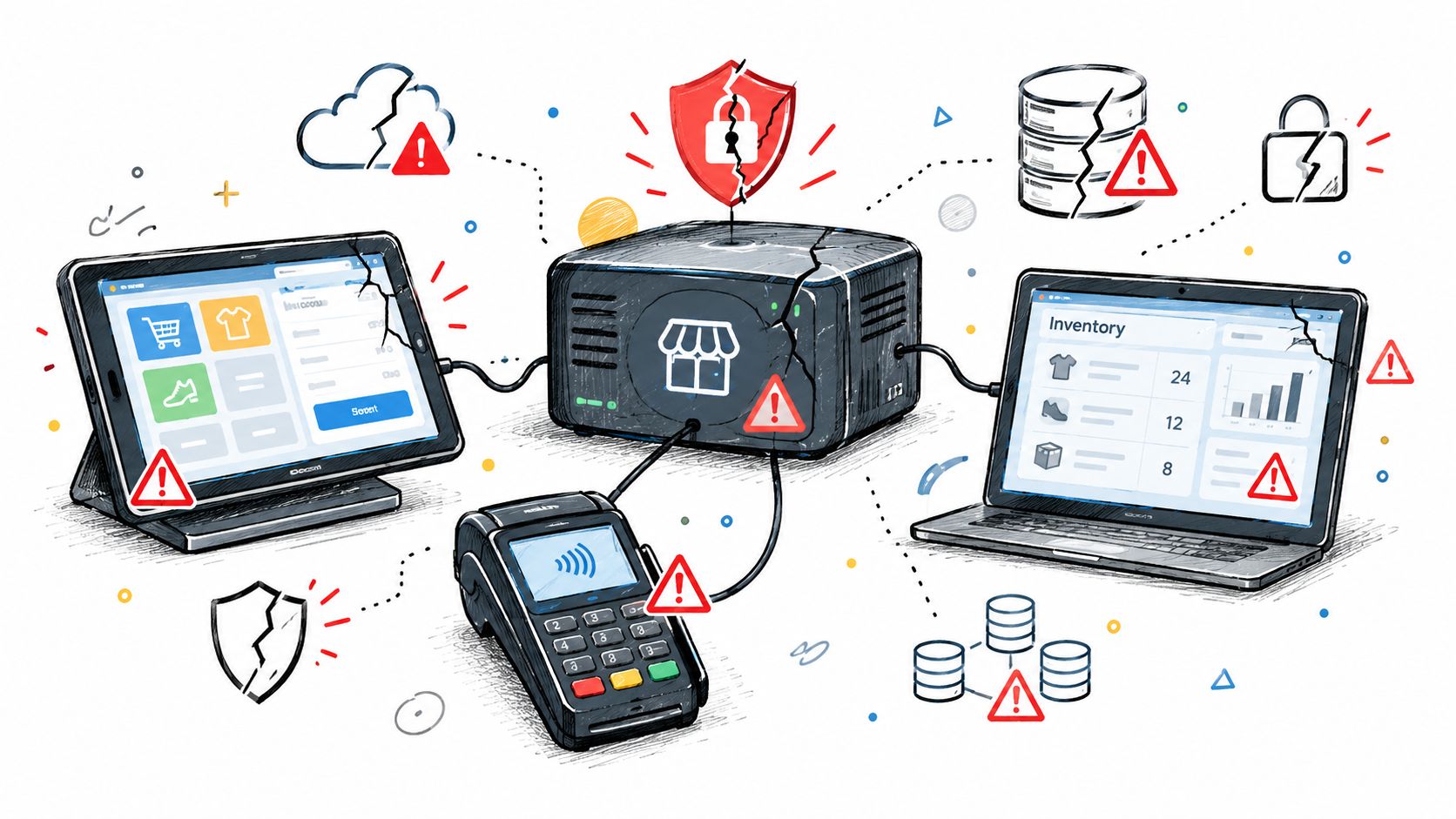
The failure patterns are usually practical, not mysterious. Weak testing, unresolved data-sync conflicts, missing rollback procedures, and poor documentation are common root causes of broken integrations, and independent 2026 guidance says those issues appear in 73% of troubled projects Neontri's POS system integration guide. That's a reminder that the core risk isn't “whether the systems connect,” it's whether they keep behaving when the environment changes.
Where teams get burned
- Data-mapping mismatches turn a clean sale into a broken record when fields don't line up.
- Inventory lag shows up when high-volume periods outrun sync behavior.
- Discount conflicts appear when one system applies a promotion the other doesn't understand.
- Staff adoption issues happen when the team doesn't trust the workflow and starts bypassing it.
The hidden cost is that integration errors are often invisible until they hit the customer. A missing update can look like overselling, a refund mismatch, or a customer service escalation that takes longer to diagnose than it should. Once a merchant connects more tools, the blast radius of an error grows because the same bad record can move farther, faster.
This is why some brands discover that over-integration creates a new kind of fragility. The business gets cleaner on paper, but the operational dependency on timing, network quality, and field consistency gets tighter. That's not a reason to avoid integration, it's a reason to treat resilience as part of the design, not a cleanup step after launch.
Building Resilient Integration Workflows
Resilient integrations are built for the day something goes wrong. They assume a store can go offline, a vendor can change an API, and a mapping can break after a product update, then they define how the business recovers without creating duplicate orders or corrupted records.
PlatformDTC's custom commerce solution guidance is relevant here because resilience only matters if the system architecture supports it. The practical patterns are familiar: retry logic for transient failures, reconciliation workflows for missed updates, duplicate prevention so the same sale doesn't post twice, and alerting so the right person knows when sync stops.
Practices that actually help
- Idempotent writes keep repeated events from creating duplicates.
- Queue-based buffering lets transactions wait safely when downstream services are slow or unavailable.
- Schema validation catches malformed payloads before they pollute the record.
- Rollback procedures give teams a defined way to reverse bad updates.
- Ownership models make it clear who responds when a vendor changes behavior.
Operational rule: if you can't explain how the system behaves during a network outage, you don't have resilience, you have luck.
The point of these controls is not theoretical cleanliness. They're there so a store can keep trading, finance can still reconcile, and support can still answer customer questions when one part of the stack is unstable. That's also why documentation matters more than many teams expect, because the person who has to recover the issue may not be the one who built the original integration.
The strongest integration teams don't just connect systems and move on. They define where the source of truth lives, how exceptions are handled, and who owns the fix when a vendor update changes the rules midstream. That discipline is what keeps connected commerce from becoming brittle commerce.
Making the Integration Decision for Your Business
The right decision starts with your operating reality, not your software wishlist. If you sell through multiple channels, rely on store-level fulfillment, or run promotions across ecommerce and retail at the same time, POS integration isn't a technical upgrade. It's the control layer that keeps the business coherent.
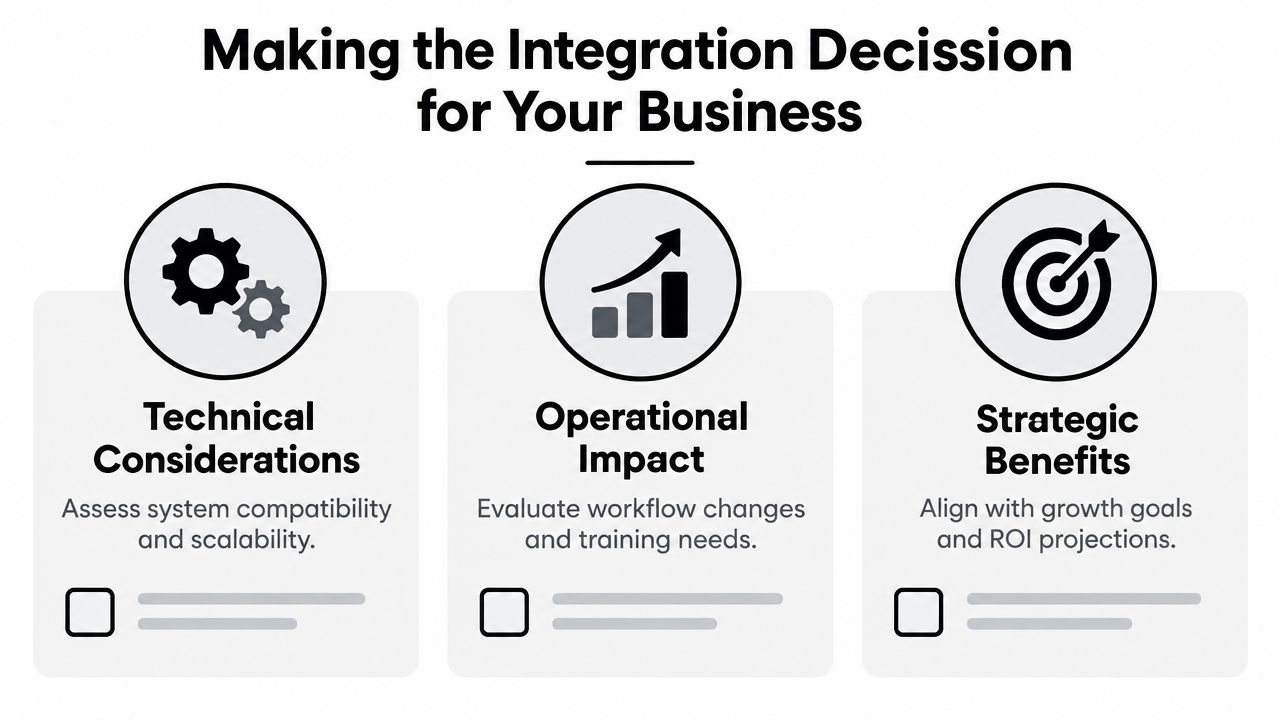
Use three filters. Technical considerations tell you whether the systems can share data without creating a mess. Operational impact tells you whether the team can live with the new workflow, train on it, and recover from it when something slips. Strategic benefits tell you whether the architecture supports the growth path you're already on, instead of the one you wish you had.
The data points back up the commercial case. Modern POS integration can produce 566% ROI in the first year, and 85% of restaurant operators now prioritize system integration when selecting POS software Swell's POS integration statistics summary. That doesn't mean every brand needs the same architecture, but it does show integration has moved from nice-to-have to core buying criterion.
Here's the cleanest decision rule I've seen in practice. If your team needs simplicity, predictable ownership, and fewer moving parts, a unified platform is often easier to run. If your organization has strong technical resources and highly specialized requirements, a best-of-breed stack can work, but only if you're willing to own the maintenance, testing, and recovery paths that come with it.
For DTC brands, the temptation is to optimize for setup speed. That's usually the wrong metric. The better metric is whether the integration still works when a store is busy, a promotion changes, a sync fails, or a vendor updates an API without warning. That's the difference between a connected stack and a dependable operating system.
If you're evaluating POS integration for a DTC brand, PlatformDTC gives you one place to run storefront, checkout, inventory, payments, fulfillment, and POS on a shared record model. Visit PlatformDTC to see how a unified commerce stack handles in-person and online sales without forcing you to stitch the order lifecycle together by hand.