You reconcile weekend sales on Monday morning and the numbers don't line up. The dashboard shows orders captured, a payout row marked pending, and a bank balance that seems smaller than it should be. Most founders react to the wrong gap, because DTC payment dates usually hide three different clocks, not one.
The useful way to think about it is simple. Order date is when the customer checks out, payout date is when your processor says money is on the move, and payable date is when funds are released to your operating account. Once you separate those three, the panic drops fast, because you stop treating every delay like a failed sale.
For securities settlement, DTCC documentation says trade settlement is usually three business days after the trade date, and premium payment orders can settle the same day, while Activity Inquiry lets users review settlement activity from the past 60 business days. Historical records also show a strong preference for payable-date processing, with 92% of funds paid to participants received on payable dates and 94% of the value received in same-day funds, according to an SEC Historical Society document referenced in DTCC material. That kind of discipline is exactly why DTC operators benefit from a cleaner calendar mindset, even when they're not working in capital markets directly. DTCC settlement and Activity Inquiry details
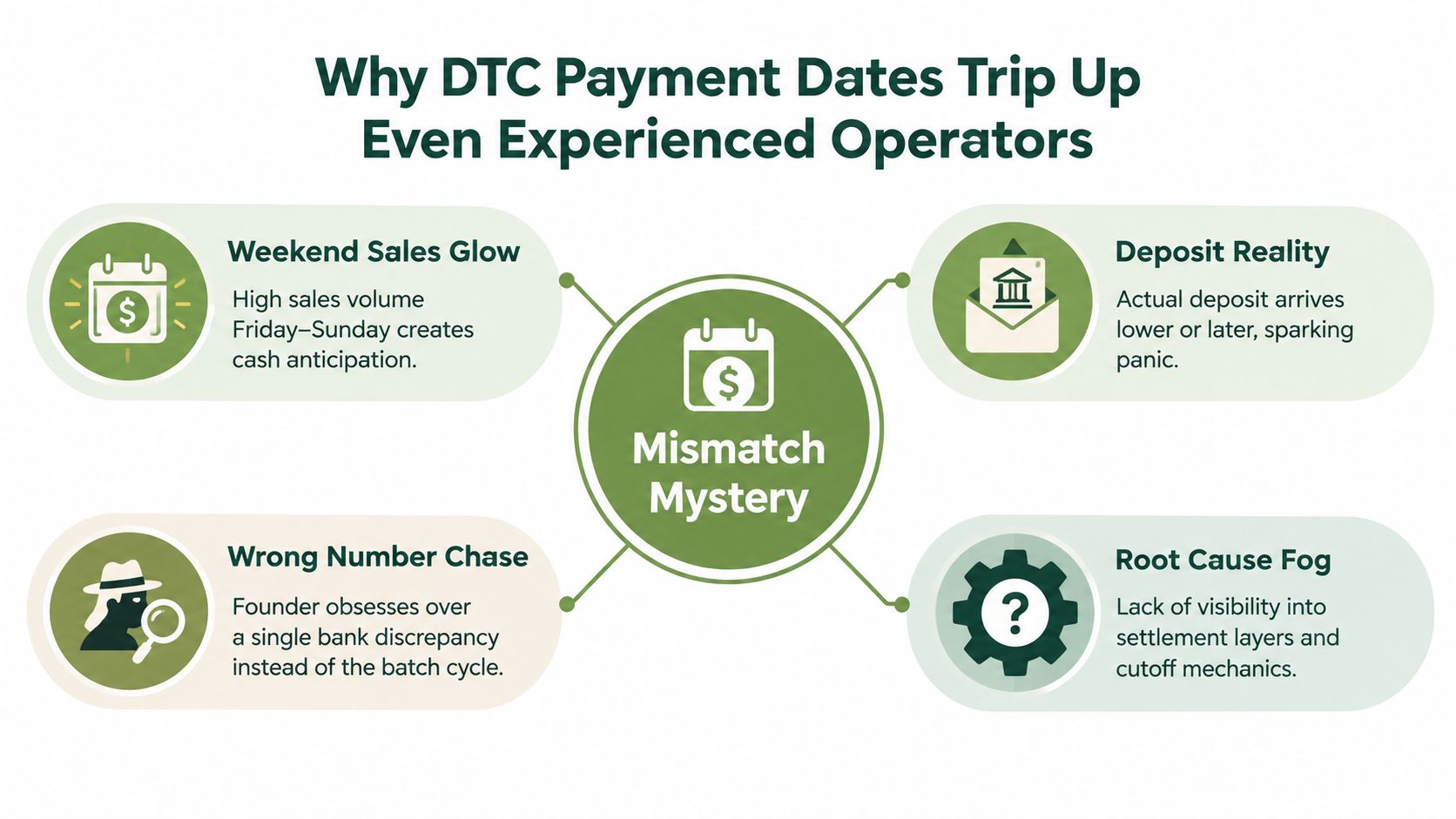
Table of Contents
- Why DTC Payment Dates Trip Up Even Experienced Operators
- How Card Settlement Shapes Your Payout Calendar
- ACH and Bank Transfer Settlement Timing
- Wallets, BNPL, and How PlatformDTC Routes Payouts
- Cutoff Times, Bank Holidays, and the Actual Payout Calendar
- When the Official Payment Date Is Not the Deposit Date
- A Practical Playbook for Forecasting and Troubleshooting Payouts
Why DTC Payment Dates Trip Up Even Experienced Operators
The cleanest way to read DTC payment dates is to separate the clocks before you read the dashboard. Order date is when the customer checks out. Payout date is when the processor says the money is moving. Payable date is when the cash reaches your operating account.
Those three labels often get collapsed into one, and that is where forecasts go off track. A team sees sales on Friday, checks the processor on Monday, and assumes the bank should already show the deposit. In practice, the sale may be approved, yet the money is still in a batch cycle, clearing through the rail before it becomes spendable cash.
A simple example helps. A card order can be accepted at checkout, while the actual funds are still in flight. ACH and bank transfers follow their own batch timing, so two orders with the same checkout time can still arrive in your account on different days. The rail decides the calendar more than the storefront does.
The trouble usually shows up in the operating plan. Vendor bills get scheduled too early, replenishment orders are placed against money that has not arrived, and media spend gets paced as if every approved order were already cash. That is how a healthy sales week can still create a short-term cash gap.
Practical rule: treat the dashboard as a status board, not as the bank balance itself.
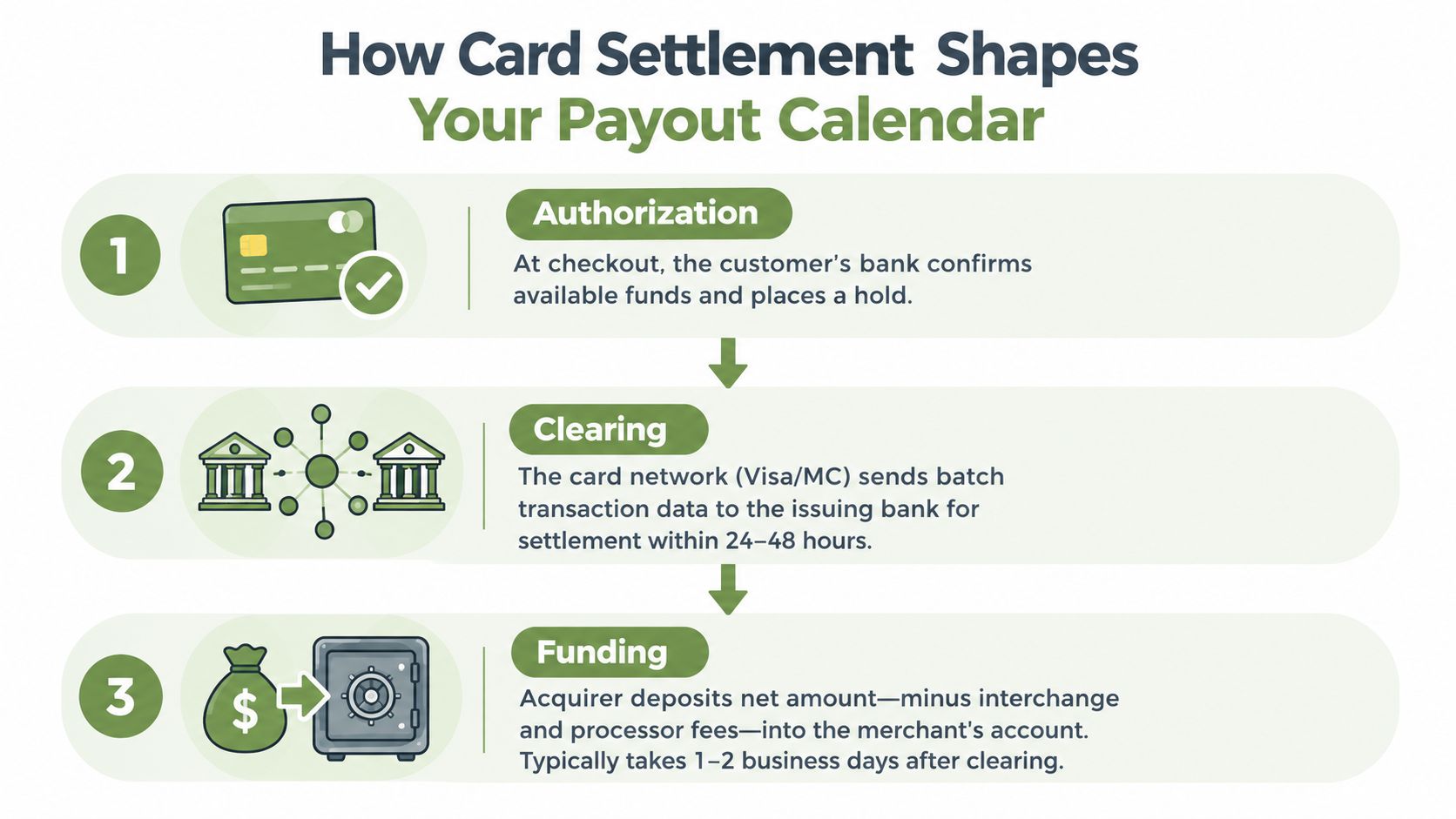
The confusion comes back because each payment rail speaks a slightly different dialect of the same process. Card settlement moves from authorization to clearing to funding. ACH and bank transfers use a separate rhythm. Wallets and platform-routed payouts can add another layer, since the payment may look complete inside the checkout flow before the merchant account is funded.
That is why finance, operations, and growth often argue past one another. Finance is watching cash in the operating account, operations is watching inventory timing, and growth is watching ad spend. If each team treats a different date as the truth, the business ends up debating the calendar instead of planning around it.
A better habit is to record all three dates in one reconciliation view. Keep the customer action, the processor timing, and the bank deposit side by side. If your team uses a unified checkout and payment stack, use the same labels across storefront orders, subscription renewals, and support tickets, so no one has to guess which clock they are reading.
How Card Settlement Shapes Your Payout Calendar
Card rails are fast at the front end and slower in the back end. Authorization happens immediately at checkout, but that does not mean money has settled. The cash still has to move through clearing and funding, and that's where the visible delay comes from.
A Federal Reserve-cited summary in the payment-timing research says credit card payments typically settle within 2 to 3 days, while card settlement guidance from Wise describes a T+1 to T+3 path from authorization to merchant funding, with overnight clearing and funding reaching the acquiring bank or payout layer in 1 to 3 business days. The operational takeaway is straightforward, an approved card transaction can still sit in flight for a few business days before it becomes usable cash. Card and wallet timing overview
What the processor dashboard is usually showing
Most dashboards split funds into a few states, such as pending, available, held, and paid out. That makes sense because the processor is coordinating the movement, not your operating account. If a reserve is in place, part of the batch may stay locked while the rest moves on schedule.
The merchant category code, capture timing, and processor cutoffs can all affect when a card batch becomes eligible for funding. A sale approved at checkout isn't the same thing as a settled transaction, because the card network still has to pass the batch data to the issuing side and the acquirer still has to release the net amount after fees. That's why a busy checkout day can still leave finance waiting for the deposit line.
Operational takeaway: an approved transaction is a promise of payment, not spendable cash.
Why this matters for DTC brands
For direct-to-consumer brands, the gap between order capture and usable funds affects replenishment, paid media, and refunds. If your inventory lead times are short, the difference between a card approval and a bank deposit can decide whether you reorder on time or miss a shelf window. If your refunds are high during a promotion, the same lag can squeeze liquidity exactly when customers are buying fastest.
You can see that logic clearly in how processor setups are documented across platforms. The relevant point for operators is not the brand of card network, it's that the batch-based clearing model turns a live sale into cash on a delayed schedule. That's the calendar you have to forecast against, not the checkout timestamp alone. For merchant stack choices, see the practical payment-gateway breakdown at PlatformDTC payment gateways.
ACH and Bank Transfer Settlement Timing
A customer clicks renew, your dashboard marks the order complete, and the cash still is not in the bank. That gap is common with ACH and bank transfers, because these rails move through bank-to-bank batch processing instead of card-network authorization and clearing. The debit can start on one day and the credit can land later, so the operator who watches only the order date ends up chasing the wrong number.
ACH usually takes about 1 to 5 business days, and Same Day ACH can shorten that path in some cases. Risk review, manual verification, reserve policy, and fraud checks can still slow funding, so “approved” does not always mean “payable” yet.
Side-by-side timing makes the difference obvious
| Rail | Typical Window | Cutoff Considerations | Common Delay Source |
|---|---|---|---|
| ACH | 1 to 5 business days | Submission timing and bank processing windows | Risk review, manual verification, fraud monitoring |
| Card | 1 to 3 business days | Batch clearing and processor cutoffs | Weekend closures, bank holidays, payout holds |
ACH matters most for recurring billing and wholesale invoices, where timing changes can alter dunning workflows and inventory release. A subscription renewal may fire on time, but the funds may still be pending when the replenishment decision is due. Wholesale teams face the same issue, because one delayed credit can decide whether a shipment leaves the warehouse.
PlatformDTC payments should be forecast on their own line when ACH is part of the mix, especially if subscriptions and invoices share the same ledger. The useful question is when the money becomes payable, not just when the order was created. For stack choices and payment flow context, see PlatformDTC payments.
Where operators get surprised
Same Day ACH helps, but it does not erase the bank's own timing. The originating institution still has to submit inside the window, the receiving bank still posts on its own rhythm, and some transfers go through separate compliance or verification steps. A transfer that starts near cutoff can still miss the calendar you expected.
Bank-transfer reporting also looks different from card reporting. A card payout usually appears as a batch settlement, while ACH may show up as a transfer tied to a separate originating record. When teams fold both rails into one cash forecast, they often miss one more timing layer than they planned for.
If your revenue mix includes subscriptions, invoices, and direct debits, put ACH on its own line in the forecast. Do not hide it inside “payments” and assume card logic will fit.
Wallets, BNPL, and How PlatformDTC Routes Payouts
Wallets and buy-now-pay-later products change the visible payout date in different ways. Apple Pay, Google Pay, PayPal, and Shop Pay often ride on tokenized card data, so the underlying settlement timing usually mirrors standard card rails. The consumer experience feels different, but the merchant's cash clock is often still tied to card clearing and funding.
Wallets usually inherit the card calendar
The wallet may confirm the payment quickly, then pass the transaction into the same rail path a card payment would use. That means the checkout is smoother, but the back-end payout still depends on the processor's settlement cycle. For an operator, the key question is not whether a wallet was used, it's whether the underlying rail settles like a card batch.
BNPL is different. Providers such as Klarna, Afterpay, and Affirm typically pay merchants on a fixed schedule, often weekly or bi-weekly, rather than on the customer's installment timeline. That creates a wider gap between order date and payout date, which is why BNPL-heavy carts can make revenue look strong while the bank balance stays behind.
One mixed cart can create three settlement horizons
A cart can include a wallet item, a BNPL item, and a card item, all in one order. Each piece may reach the bank on a different timetable, even though the customer saw one checkout flow. That's the calendar trap that causes finance teams to overread daily sales screenshots.
| Payment method | Typical payout window | Funds held by | Key delay source |
|---|---|---|---|
| Wallet via card rails | Card-like timing | Processor and card network | Batch clearing and funding |
| BNPL | Fixed provider schedule | BNPL provider | Provider payout cadence |
| Standard card | 1 to 3 business days | Acquirer and processor | Clearing and payout processing |
PlatformDTC's payment stack is built around this kind of split ledger logic, with per-method payout schedules and routing rules that determine when each transaction type becomes eligible. In practice, that means a merchant can read one order record while still seeing separate settlement paths behind it. For brands trying to align checkout, subscriptions, and payments in one place, the platform's payment view is described at PlatformDTC DTC Pay.
Cutoff Times, Bank Holidays, and the Actual Payout Calendar
A deposit that misses a cutoff does not vanish, it moves into the next processing window. That is why the same transaction can feel timely one week and late the next. Gateway cutoffs often fall in the late afternoon on business days, so anything authorized after that point usually joins the next batch.
The calendar is shaped by more than the transaction.
Same Day ACH adds another layer of timing. Nacha guidance cites 10:30 AM ET and 2:45 PM ET as standard Same Day ACH submission deadlines, but the receiving bank may still take another half-day before the money appears. A transfer can be “same day” from the processor's side and still reach the operating account later. ACH timing and settlement summary
Bank holidays create another break in the pattern. If a late-week transaction runs into a three-day weekend, the visible settlement date can slide several calendar days even though checkout looked normal. Finance teams should build the calendar around business days, not only calendar days.
| Day | Expected Operating Rhythm | Operator Risk |
|---|---|---|
| Monday to Friday | Batch processing and gateway cutoffs | Late-day authorizations roll to the next batch |
| Saturday | No standard processing | Funding waits for the next business day |
| Sunday | No standard processing | Weekend delay compounds with holidays |
A weekly sheet helps keep the forecast honest. Use five columns, order date, rail, batch cutoff, eligible payout date, and conservative deposit date. Finance should rely on the conservative date for cash decisions because it absorbs holiday shifts and same-day bank posting delays. That helps keep vendor payments, ad spend, and inventory buys from landing on the wrong assumption.
A Tuesday evening authorization can look like a Friday deposit in a normal week, then slip several days if a Monday holiday interrupts the chain.
When the Official Payment Date Is Not the Deposit Date
The date printed in a dashboard is often the date a payout becomes eligible, not the date cash lands. That difference matters most when a payout is initiated close to a weekend, a reserve is still in place, or a bank-side review slows the incoming credit. If you plan cash against the published date alone, you'll build a forecast that looks cleaner than your bank balance.
The most common reasons the money arrives later
A transfer can be held for risk review, routed through a reserve, or delayed by a wrong account number. Manual verification and compliance checks also create pauses that don't show up in a marketing dashboard, because they happen after checkout. The processor may mark the batch as in motion while the bank still has not posted it.
First-time merchants often feel this gap more sharply because a processor may release only part of each batch on schedule. High-dispute categories can see similar caution, which is why two brands with the same order volume can have very different visible payout timing. That's not a sales problem, it's a settlement-policy problem.
A fast diagnostic sequence
- Check the payout report. Confirm whether the batch is marked paid out, pending, or held.
- Match the transaction ID. Make sure the payout belongs to the order you're tracking, not a different batch.
- Verify the originating account. Look for routing or account-entry errors before escalating.
- Review reserve notes. Some holds are visible in the dashboard even when the bank deposit hasn't arrived.
- Escalate to the processor or bank. Use the transaction ID and the expected date when you contact support.
The easiest mistake is to ask only, “Where's my money?” The better question is, “Which layer stalled, the payout eligibility, the bank posting, or the transfer itself?” That framing saves time because each layer belongs to a different support path.
A Practical Playbook for Forecasting and Troubleshooting Payouts
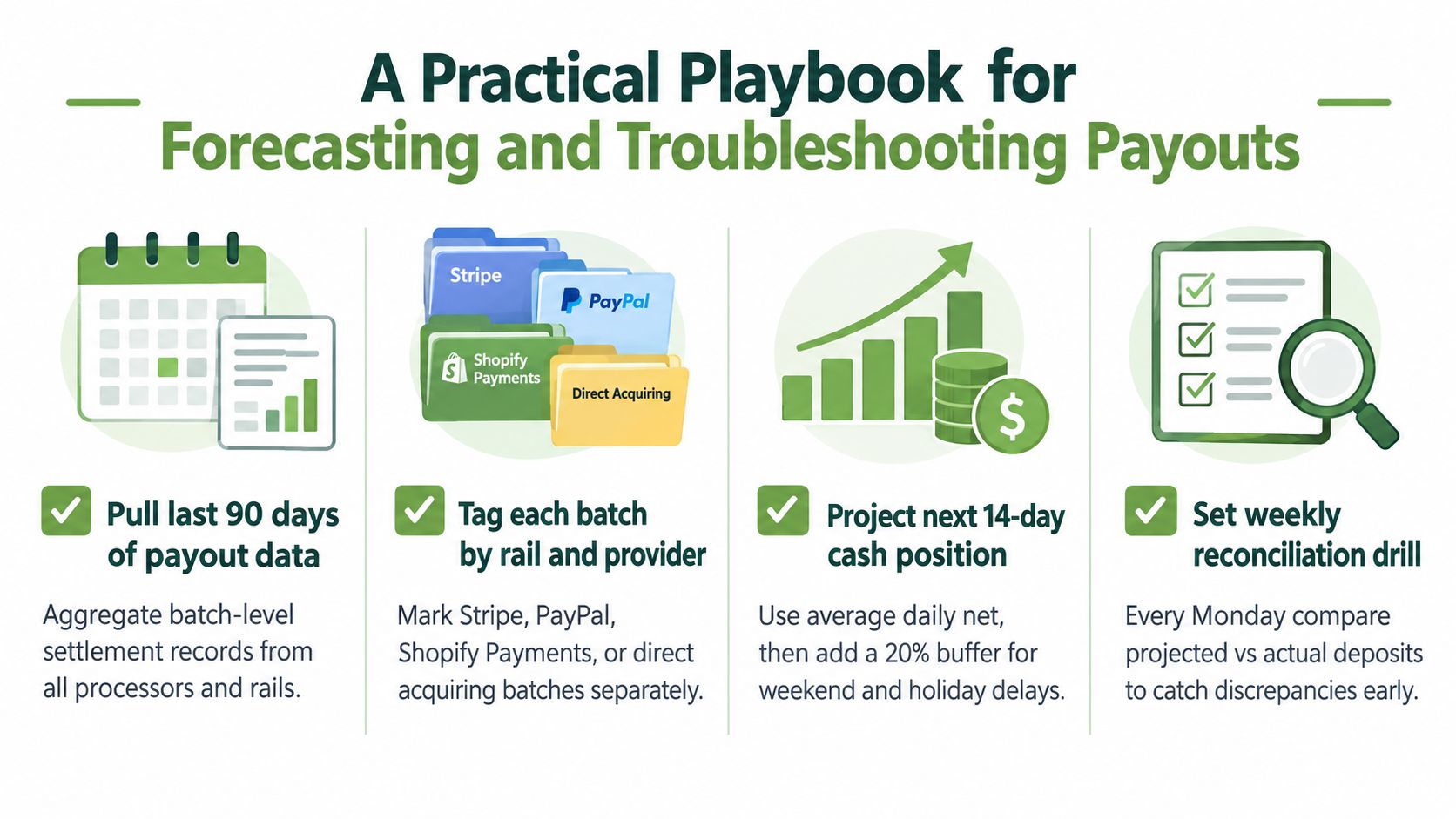
A payout forecast gets clearer when you stop guessing from checkout totals and start tracing what settles. Pull the recent payout history, sort each batch by rail and provider, then build a short cash view that leaves room for weekend and holiday timing shifts. That gives you a plan for money movement, not a wish list based on order day.
The weekly drill that keeps teams aligned
- Pull the batch history. Collect recent payout records from every processor and rail.
- Tag each stream separately. Put card, ACH, wallet, BNPL, and platform-issued transfers on different lines.
- Project cash conservatively. Use the expected deposit date, then leave a cushion for holidays and late cutoffs.
- Review every Monday. Compare projected deposits with actual deposits before ad spend and inventory orders go out.
A late deposit is easier to solve when the team starts with the right layer. Check transaction status first, then compare the payable date with the deposit date, then look for held balance notes or reserve language in the dashboard. If the bank is the bottleneck, the trace path matters more than the sales receipt.
Who to contact and when
Payment provider support should handle settlement questions tied to batch movement and payout eligibility. The bank should handle ACH trace IDs and incoming-credit questions. The storefront team should handle order-level disputes and customer-facing refund questions, because those are different from payout failures.
PlatformDTC combines storefront, checkout, subscriptions, payments, inventory, fulfillment, messaging, and analytics in one system, so the order record and payment record can sit on the same model. If your team wants that kind of unified view, use PlatformDTC to review how the payment stack, order lifecycle, and reporting layer fit together in one operational calendar.
A simple forecast can still catch surprises. If an order lands on a Monday, a card payout may show up later in the week, while an ACH transfer may settle on a different clock, and a wallet or BNPL route can shift again depending on the platform path. Map those rails on a single sheet, then compare the expected payout date against the bank deposit before you assume anything is missing.
Drafted with the Outrank app