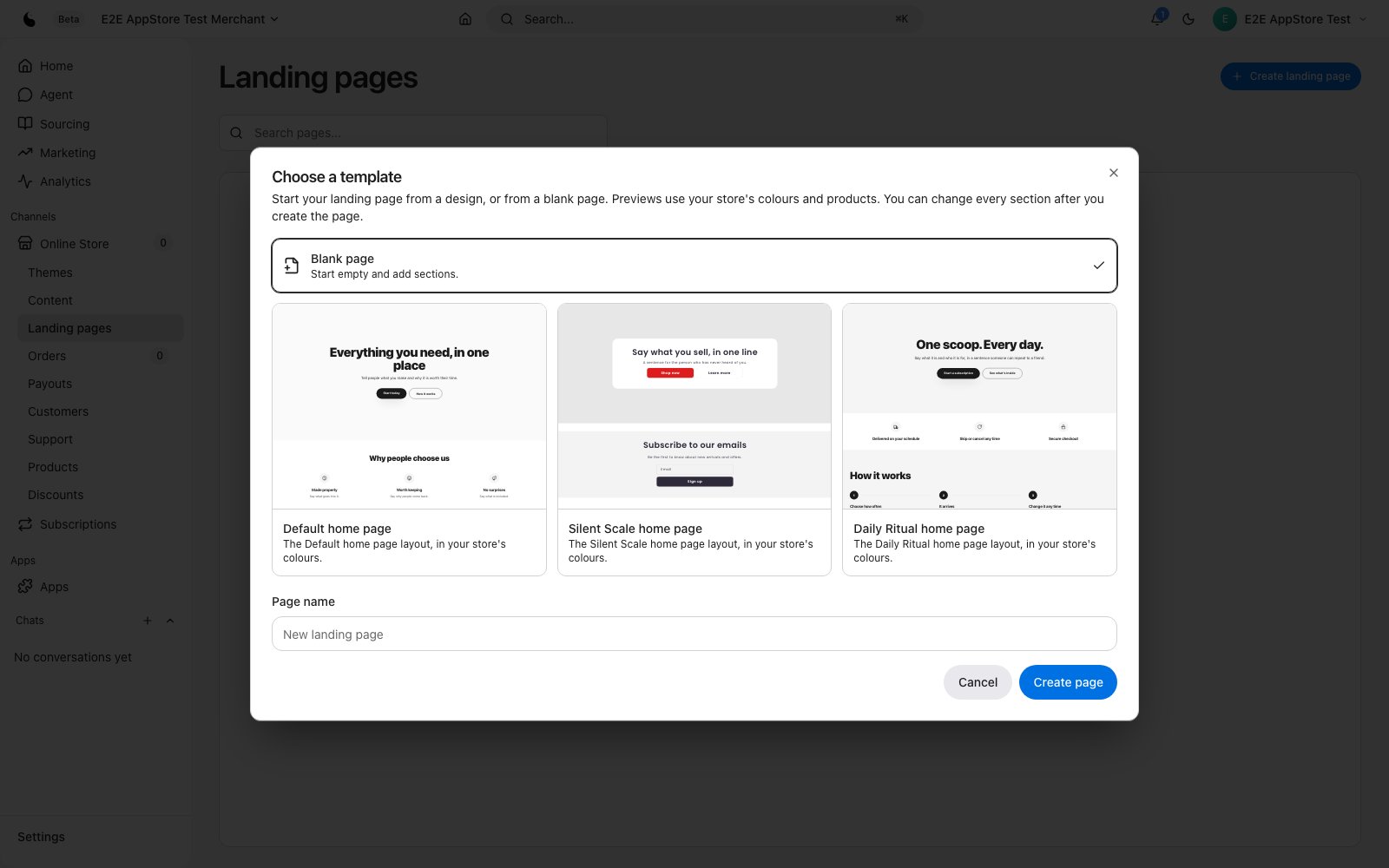
Build campaign landing pages on your store with a visual editor
PlatformDTC Landing Pages lets you build standalone pages for campaigns and launches on your own store domain. Start from a blank page or a designed layout, edit every section in the visual editor, and publish to a page on your store in seconds. Pages use your live theme's colours and your real products, so they match the rest of your store.
- Blank page or designed starting layouts, previewed in your store's colours
- Visual section editor with autosave, undo and redo
- Share link for reviewing drafts
- Search-engine title, description and URL handle per page
- Publishes to a page on your own store domain
Start from a template
Choose a blank page or one of the designed layouts: Default, Silent Scale or Daily Ritual. Previews render with your store's colours and products. Starting layouts leave out review and rating sections, so a page never opens with claims you have not made.
Edit visually
Pages open in the same section editor as your theme, in page mode: one page, no store header or footer, autosave, undo and redo, and a share link for reviewing drafts.
Publish on your domain
Set the URL handle, page title and search-engine description, then publish to /pages/your-handle on your store. Publishing is usually instant.
Manage every page
One list of all your landing pages, with View live, Rename, Duplicate and Delete. Deleting a page also takes it offline.
Before you start
Confirm your account email before publishing your first page.
- Languages
- English
- Categories
- ContentMarketingStorefronts
Pricing
- Included with PlatformDTCFree
Included in every PlatformDTC plan at no extra charge.
Reviews
No reviews yet.
Support
Supported by PlatformDTC.
- Developer
- PlatformDTCplatformdtc.com
- Launched
- September 27, 2026